


Updated Rules checked 2026-10-17
How to start trading futures on KuCoin: complete identity verification, transfer USDT from your funding account to your futures account, enable futures trading when prompted the first time you open the futures page, and then pick a trading pair, a margin mode and your leverage to place an order. The official KuCoin futures tutorials I found do not say you have to pass a quiz or fill in a questionnaire first. Unverified accounts cannot open or add to positions; they can only reduce or close them.
On cost, regular users (VIP 0) pay futures fees of 0.02% Maker and 0.06% Taker, calculated on position value, not on margin, and KCS cannot be used for a discount on futures. Perpetual futures also carry a funding fee: major trading pairs settle every 8 hours, and most other pairs every 4 hours. Leverage depends on the trading pair: BTC goes up to 125x and ETH to 100x, while the largest group of pairs is capped at 20x.
Leverage magnifies both profits and losses. If the price moves against you, your position may be forcibly liquidated and you lose all the margin you put in. This guide brings together the setup steps, cross vs isolated margin, position modes, a fee worked example, liquidation prices, and take-profit and stop-loss orders, each with an official KuCoin source.
Key points
KuCoin’s official identity verification page states that unverified accounts cannot open or increase futures positions, while accounts with individual verification can trade futures with up to 125x leverage.
KuCoin’s VIP 0 futures fees are 0.02% Maker and 0.06% Taker. Opening a 10x position with 1,000 USDT of margin and opening and closing it with Taker orders costs 12 USDT in total fees.
When I read KuCoin’s official API on 2026-10-17, only BTC reached 125x and only ETH reached 100x among 692 USDT-M perpetual contracts, and 272 trading pairs were capped at 20x.
The official API on the same day showed 431 USDT-M perpetual contracts settling funding every 4 hours, and 628 contracts with a funding rate cap and floor of ±2% per settlement.
KuCoin’s isolated margin risk limit starts at level 1 by default and the system does not raise it automatically; to go above the level 1 cap, you have to switch levels manually first.
The information below was checked against official pages on 2026-10-17 (data check date) and is provided for reference.
If you don’t have a KuCoin account yet, sign up with the referral code KEVINWU and KuCoin automatically refunds 60% of the trading fees you actually pay, on both spot (including margin) and futures. This rate syncs with the exchange every day, and every change is recorded in the rebate rate report.
How do I enable futures trading on KuCoin?
Check two things before you start. The first is identity verification: KuCoin’s page on identity verification (updated 2026-08-14) states that since August 31, 2023, new users must complete identity verification to use its products and services. In its permissions table, unverified accounts are “not allowed to open or increase positions”, while accounts with individual verification can trade futures with up to 125x leverage. The steps are in the KuCoin identity verification guide. The second is where you live: KuCoin’s futures tutorial states that “users in restricted countries and regions cannot enable futures trading”. Section 17 of the KuCoin Terms of Use (updated 2026-09-29) lists restricted regions including the United States, Singapore, mainland China and Hong Kong, Malaysia, the Canadian provinces of Ontario and British Columbia, France and the Netherlands, and Section 49A forbids getting around the restrictions with a proxy server or VPN. The full list, compared across exchanges, is in exchange restricted countries.
Steps on the website
- Log in to KuCoin and complete identity verification.
- On the “Assets Overview” page, use the “Transfer” function to move USDT from your funding account to your futures account; you can also transfer directly from each account page. KuCoin splits your assets into funding, trading (spot), margin, futures and other accounts, and futures trading only uses the money in the futures account (KuCoin accounts and transfers guide, updated 2026-07-13).
- Open futures trading from the top menu and choose a USDT-M perpetual contract, such as BTC/USDT. The first time you enter, follow the on-screen prompts to enable futures trading.
- Before placing an order, choose the margin mode (cross or isolated), then set the leverage.
- Choose an order type (limit, market or a conditional order), enter the number of contracts, and choose buy (long) or sell (short). KuCoin counts futures quantity in contracts (“lots”); one BTC/USDT contract is 0.001 BTC.
- Once the position is open, check the estimated liquidation price in the positions section. From there you can add or remove margin, adjust leverage, set take-profit and stop-loss, or close the position.
Steps in the app
- Tap “Futures” in the bottom navigation bar. The first time, tap “Enable futures trading” (KuCoin guide to enabling a futures account).
- On the “Assets” page, use the transfer function to move USDT from your funding account to your futures account, enter the amount and confirm.
- Go back to the futures page and pick a trading pair. Tap the margin mode to choose cross or isolated, then tap the leverage to adjust it.
- Choose limit or market, enter the quantity, and tap buy (long) or sell (short). To set take-profit and stop-loss together with the order, first tap “…” at the top right, open “Feature Preference” and turn on take-profit and stop-loss; this option is hidden by default.
- Once the position is open, the positions section shows your unrealized PnL and estimated liquidation price, and you can close the position there too.
KuCoin’s official futures trading guide (web) (updated 2026-01-06) and app guide list only four core steps: transfer USDT or USDC into your USDT-M futures account, choose the leverage, choose a direction, and enter the number of contracts. For coin-margined futures, you transfer coins such as BTC or ETH as margin. The exact button names may differ, so go by the interface you see.
KuCoin also has a “Unified Account” that puts spot, margin and futures in a single account. According to KuCoin’s guide to upgrading to the Unified Account, it is currently in limited testing and open only to some professional and institutional users. Before upgrading, you cannot have open futures positions, open spot or futures orders, or any liabilities, and you can switch back to the classic account freely afterward. Regular accounts can simply follow the classic account steps above.
Cross vs isolated margin: what is the difference, and which should you use?
| Item | Isolated | Cross |
|---|---|---|
| How margin is calculated | Each position has a fixed amount of margin, which you can add to or reduce manually | The entire futures account balance (including unrealized PnL) serves as margin |
| When liquidation happens | The mark price reaches the estimated liquidation price | The account risk ratio reaches 100%; the liquidation price is for reference only |
| When open orders are canceled | On liquidation, only this position’s open orders are canceled | Open orders are canceled once the risk ratio reaches 95% |
| Maximum loss | This position’s margin | The futures account balance in the same settlement currency |
| Position limit | Tiered by risk limit, level 1 by default, not adjusted automatically | No tiered risk limit; the maintenance margin rate is capped at 30% |
Definitions follow KuCoin’s isolated margin guide (updated 2025-12-31), KuCoin’s “What is cross margin mode” (updated 2026-01-06) and KuCoin’s cross margin rules (updated 2026-07-31). KuCoin says that when an isolated position is liquidated, the maximum loss is limited to that position’s isolated margin and other positions are not affected; for cross margin it states that “the entire balance of the futures account is used as margin for positions”. When a cross position exceeds 600,000 USDT, liquidation closes only part of it.
Numbers make it clearer. Say your futures account holds 2,000 USDT and you use 1,000 USDT of it to open a 10x BTC long. In isolated mode, even if you are liquidated, your loss is capped at that 1,000 USDT and the other 1,000 USDT is untouched. In cross mode, the other 1,000 USDT is also used to support the position, so the liquidation price sits farther from your entry price, but if you are actually liquidated, you may lose all 2,000 USDT. Which one to choose depends on how much money you are willing to put at risk on this position.
The margin mode is set separately for each trading pair, so you can use cross for BTC and isolated for ETH. You cannot switch while that trading pair has an open position or open order, though; close the position and cancel the orders first (KuCoin’s Unified Account isolated margin guide, updated 2026-05-14).
One-way mode or hedge mode?
KuCoin announced hedge mode on 2025-09-12. According to KuCoin’s hedge mode guide (updated 2025-10-15), one-way mode lets you hold only one direction on a trading pair, and an order in the opposite direction offsets it; hedge mode lets you hold a long and a short at the same time without offsetting each other. The official page does not say which mode is the default, so check your settings before you open a position.
- How to switch: on both the website and the app, tap the settings icon at the top right of the futures trading page, go to “Preferences” → “Position Mode”, choose one-way or hedge, and confirm.
- Restrictions: you must close all positions and cancel all open orders before switching.
- Margin: in hedge mode, at the same price level, margin is charged only on the larger side of the long and short positions; the funding fee is calculated on the net position and produces a single record.
How do you set leverage, and what is the maximum?
KuCoin officially states a maximum leverage of 125x for verified accounts, but the real cap depends on the trading pair. On 2026-10-17 I read the official KuCoin contract list API: 702 contracts were live, including 692 USDT-M (USDT) perpetual contracts, plus 5 USDC perpetuals and 5 coin-margined contracts. Here are the 692 USDT-M perpetual contracts grouped by maximum leverage:
| Maximum leverage | Number of trading pairs | Examples |
|---|---|---|
| 125x | 1 | BTC/USDT |
| 100x | 1 | ETH/USDT |
| 75x | 39 | SOL, XRP, DOGE, BNB and others |
| 40–50x | 99 | — |
| 25–30x | 182 | — |
| 20x | 272 | — |
| 3–12x | 98 | — |
Only one trading pair, BTC, offers 125x. Of the 272 pairs at 20x, 153 are contracts the API labels as stocks (STOCK); there are 165 of these contracts in total, all capped at 10x or 20x.
The larger the position, the lower the leverage you can use. Isolated margin uses tiered “risk limits”, and each level has its own maximum leverage and maintenance margin rate. KuCoin’s isolated margin guide states that all contracts start at level 1 by default and the system does not adjust this automatically; to open a larger position, you have to switch to a higher level manually before placing the order. These are the first 4 levels for BTC/USDT, read from the official KuCoin risk limit API on 2026-10-17:
| Level | Position value (USDT) | Maximum leverage | Maintenance margin rate |
|---|---|---|---|
| 1 | 0–250,000 | 125x | 0.40% |
| 2 | 250,000–600,000 | 100x | 0.50% |
| 3 | 600,000–2,500,000 | 75x | 0.70% |
| 4 | 2,500,000–10,000,000 | 50x | 1.00% |
Altcoin thresholds are much lower. On the same day, level 1 for SOL/USDT went up to 300,000 USDT with a maximum of 75x and a maintenance margin rate of 0.70%, and by level 3 (750,000 USDT and above) the maximum dropped to 20x. Cross margin has no such tiers; it uses a maintenance margin rate formula instead, capped at 30%.
You can also change leverage after opening a position: in the positions list, tap the leverage of that position, drag the slider or type in a multiplier, and the screen previews the change in margin and liquidation price in real time; it takes effect once you confirm (KuCoin’s Unified Account isolated margin guide). The tiers themselves also change: for example, an announcement on 2026-09-25 lowered the maximum leverage and risk limits of 21 perpetual contracts at once, so go by the leverage settings screen before you place an order.
How are futures fees calculated?
The formula in KuCoin’s futures fee guide (updated 2025-07-30) is “fee = position value × fee rate”, charged on every fill; market orders, hidden orders and iceberg orders all count as Taker. KuCoin’s VIP fee structure (updated 2026-05-07) lists VIP 0 futures fees of 0.02% Maker and 0.06% Taker, and its KCS discount column covers spot only, not futures. The official contract list API on 2026-10-17 also showed a standard rate of 0.02%/0.06% for all 702 contracts.
Assumptions for the worked example: 1,000 USDT of margin at 10x gives a position value of 10,000 USDT, the funding rate is +0.01% per settlement (when I read the official KuCoin funding rate API on 2026-10-17, BTC/USDT’s last settled rate was exactly 0.01%, settled every 8 hours), and the position is held for 3 days.
| Item | Formula | Amount (USDT) |
|---|---|---|
| Opening fee (Taker) | 10,000 × 0.06% | 6 |
| Closing fee (Taker) | 10,000 × 0.06% | 6 |
| Maker for both opening and closing | 10,000 × 0.02% × 2 | 4 |
| Funding fee, settled every 8 hours, 3 days | 10,000 × 0.01% × 9 times | 9 |
| Funding fee, settled every 4 hours, 3 days | 10,000 × 0.01% × 18 times | 18 |
| Taker in and out + 8-hour contract | 12 + 9 | 21 (2.1% of margin) |
| Taker in and out + 4-hour contract | 12 + 18 | 30 (3.0% of margin) |
The funding fee is the cost people underestimate most. According to KuCoin’s funding fee guide (updated 2026-09-25), major trading pairs settle every 8 hours and most other pairs every 4 hours, and when the premium or discount gets too large, the system may temporarily switch to settling every hour. When the rate is positive, longs pay shorts; when it is negative, shorts pay longs. Funding is exchanged between longs and shorts and is not collected by KuCoin, and you only pay or receive it if you hold a position at settlement time. The official API on 2026-10-17 showed that of the 692 USDT-M perpetual contracts, 431 settled every 4 hours, 260 every 8 hours and 1 every hour.
Check the rate caps too. In the same API, BTC/USDT’s cap and floor per settlement is ±0.3%, but 628 contracts have ±2%. A 10,000 USDT position that hits the 2% cap pays 200 USDT in a single funding settlement, which equals 20% of the 1,000 USDT margin. Before holding a small-cap coin contract overnight, check the current rate and the next settlement time on the futures page.
Comparing VIP 0 futures fees at several large exchanges, KuCoin’s Taker fee of 0.06% matches Bitget and is higher than the 0.05% at Binance and OKX:
| Exchange | Futures Maker | Futures Taker | 10,000 USDT Taker in and out | Rebate channel on this site |
|---|---|---|---|---|
| KuCoin | 0.02% | 0.06% | 12 USDT | Automatic fee rebate from the exchange, 60%; see KuCoin referral code |
| Bitget | 0.02% | 0.06% | 12 USDT | Automatic fee rebate from the exchange, 20%; see Bitget referral code |
| Bybit | 0.02% | 0.055% | 11 USDT | Fee Otter; see Bybit fee rebate |
| Binance | 0.02% | 0.05% | 10 USDT | Automatic fee rebate from the exchange, 20%; see Binance referral code |
| OKX | 0.02% | 0.05% | 10 USDT | Automatic fee rebate from the exchange, 20%; see OKX referral code |
Sources: KuCoin VIP fee structure, Bitget fee page, Bybit trading fee structure, Binance fee page, OKX fee page. For how to get started on the other exchanges, see the Bitget futures guide, Binance futures guide, OKX futures guide and Bybit futures guide.
How does the referral code rebate apply to futures?
The KuCoin referral program states that commission is calculated on the trading fees the invited user actually pays and is paid in the same coin, and futures trading is within scope; API trading does not earn commission, and once the invited user reaches VIP 3 or higher, their fees no longer generate commission. KuCoin’s 2025 affiliate program guide also states that spot, futures and margin use the same rate, and zero-fee trades do not count. Funding fees are exchanged between longs and shorts and are not trading fees, so they do not generate a rebate.
| Monthly volume | Fees (0.06%) | Auto rebate (60%) | Net fees |
|---|---|---|---|
| 20,000 USDT | 12 USDT | 7.2 USDT | 4.8 USDT |
| 300,000 USDT | 180 USDT | 108 USDT | 72 USDT |
| 1,000,000 USDT | 600 USDT | 360 USDT | 240 USDT |
Example at a futures fee rate of 0.06% and the current 60% automatic rebate (rate updated 2026-10-24). Your exchange statement prevails.
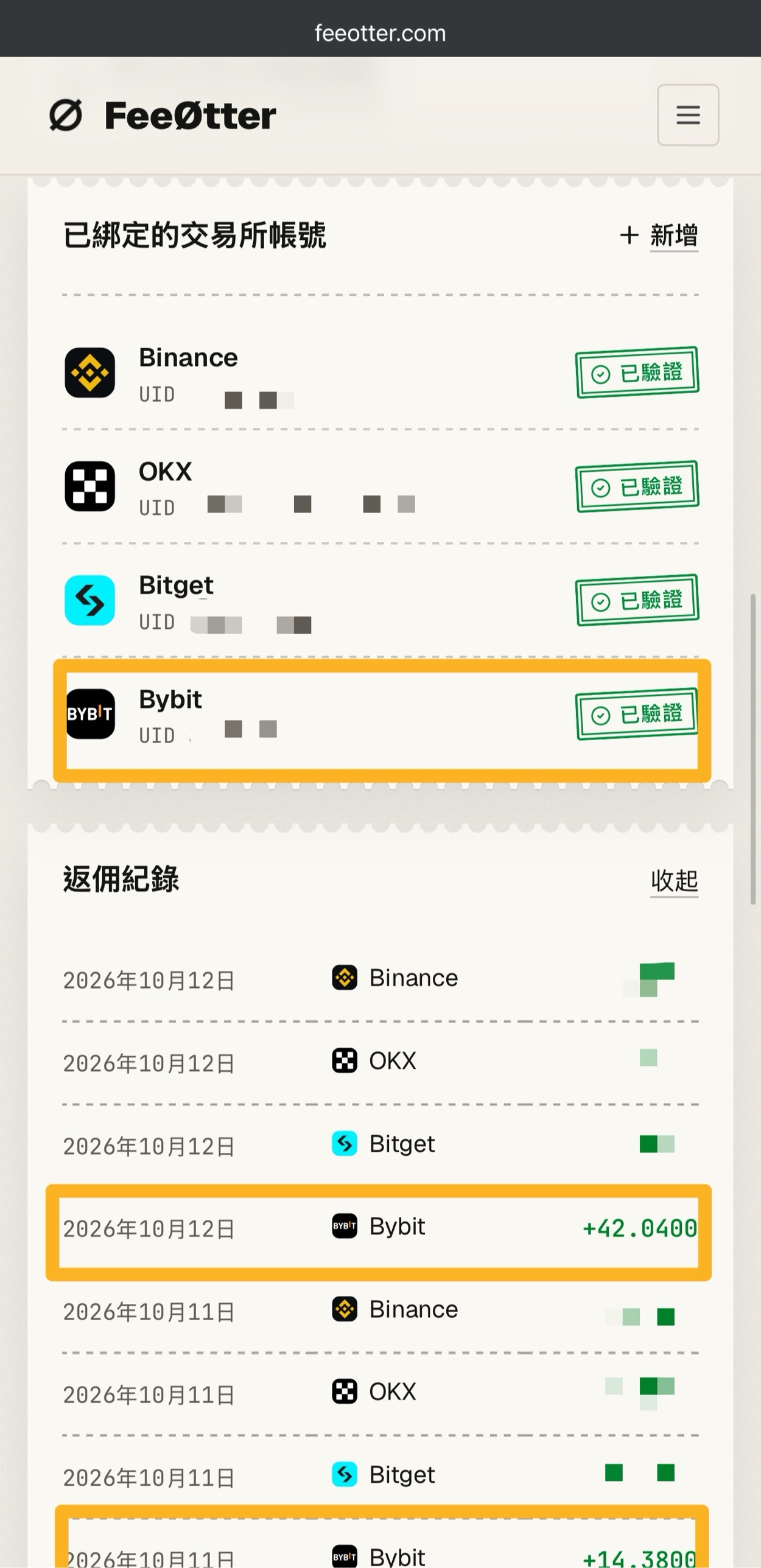
The first amount above, 20,000 USDT, is the trade volume from opening and closing the 10,000 USDT position in the example. Bybit has no automatic fee rebate from the exchange on this site; its rebate channel is Fee Otter. The extra rebate is paid by Fee Otter, not by the exchange and not by Kevin Wu; the money goes to your Fee Otter account, and the rate is whatever Fee Otter’s page shows at the time. For the steps, see Bybit fee rebate.
How is the liquidation price calculated?
According to KuCoin’s liquidation and liquidation price guide (updated 2026-01-05), an isolated position enters the liquidation process when the mark price reaches the estimated liquidation price, while cross margin depends on the account risk ratio and is liquidated only when it reaches 100%. The KuCoin Futures Terms of Use also state that unrealized PnL and liquidation are both triggered by the mark price, not the last traded price.
KuCoin publishes the liquidation price formula for USDT-M isolated positions: liquidation price = (position value at entry − position margin) ÷ [quantity × contract multiplier × (1 − direction × maintenance margin rate − direction × liquidation fee rate)], where direction is 1 for a long and −1 for a short. KuCoin’s example buys 1 BTC at 30,000 USDT with 50x leverage, a maintenance margin rate of 0.4% and a liquidation fee rate of 0.06%, giving a liquidation price of 29,535.9 USDT. The table below uses the same formula with a BTC entry price of 80,000 USDT, 1,000 USDT of margin, BTC/USDT’s level 1 maintenance margin rate of 0.40% and a liquidation fee rate of 0.06%. The price is just an assumption to make the math easy:
| Leverage | Position value | Long liquidation price | Drop that triggers liquidation | Short liquidation price | Rise that triggers liquidation |
|---|---|---|---|---|---|
| 2x | 2,000 | 40,184.85 | 49.77% | 119,450.53 | 49.31% |
| 5x | 5,000 | 64,295.76 | 19.63% | 95,560.42 | 19.45% |
| 10x | 10,000 | 72,332.73 | 9.58% | 87,597.05 | 9.50% |
| 20x | 20,000 | 76,351.22 | 4.56% | 83,615.37 | 4.52% |
| 50x | 50,000 | 78,762.31 | 1.55% | 81,226.36 | 1.53% |
| 100x | 100,000 | 79,566.00 | 0.54% | 80,430.02 | 0.54% |
| 125x | 125,000 | 79,726.74 | 0.34% | 80,270.75 | 0.34% |
For a quick mental estimate, use “1 ÷ leverage − maintenance margin rate − liquidation fee rate”: at 10x that is 10% − 0.40% − 0.06% ≈ 9.5%. At 125x, a move of only about 0.34% against you in BTC is enough to liquidate the position. On 2025-05-22 KuCoin updated its isolated margin formula: maintenance margin became “position maintenance margin + liquidation fee + estimated funding fee”, calculated at the mark price. So the actual liquidation price is also affected by funding fees and any margin you adjust manually, and for cross margin you have to factor in the account balance. To plug in your own numbers, use the liquidation price calculator.
What happens once liquidation is triggered: the system first cancels the position’s open orders, then lowers the risk limit level by level, reducing the position with IOC orders at the bankruptcy price; if that still is not enough at the lowest level, the insurance fund takes over the position at the bankruptcy price. According to KuCoin’s insurance fund guide (updated 2025-12-31), when a liquidation fills at a price better than the bankruptcy price, the surplus goes to the insurance fund, and the insurance fund takes over any part that cannot fill at the bankruptcy price because market depth is insufficient. When even the insurance fund cannot cover it, auto-deleveraging (ADL) is triggered. According to KuCoin’s auto-deleveraging mechanism (updated 2025-12-31), profitable positions are ranked by a score of “position profit ratio × effective leverage”, and the higher the score, the sooner the position is deleveraged.
How do you set take-profit and stop-loss?
There are two ways: set them together with the order, or set them in the positions section after the position is open. The steps and rules for setting them when placing an order in the app are based on KuCoin’s guide to setting TP/SL when placing an order (app) and KuCoin’s futures order types (updated 2026-08-18):
- Turn the feature on first: take-profit and stop-loss are hidden in the app by default; tap “…” at the top right and turn them on in “Feature Preference”.
- Trigger price: TP/SL set with an order can use the last price or the mark price; separate conditional orders (stop-loss/take-profit orders) can also use the index price. Once triggered, they are sent as limit or market orders. Conditional orders do not freeze margin while they wait; margin is frozen only after they trigger.
- When they take effect: TP/SL set with an order only takes effect once the order is fully or partly filled. If the order is canceled before it fills, or the position has been closed and its quantity is zero, the TP/SL becomes invalid. You can use both methods on the same position; when one triggers, the other is automatically canceled.
- Do not combine it with “Reduce-only”: KuCoin explicitly says “please do not set reduce-only and TP/SL at the same time”, because the two are incompatible.
- Trailing stop: the trigger price moves with the market, and a market order is sent when the price pulls back from its high or low by the ratio you set. You can also set an activation price.
Set the stop-loss price before the estimated liquidation price, or the position will be liquidated first. Take the 10x long in the table above: the liquidation price is 72,332.73, so the stop-loss has to sit above that to have a chance of triggering first. If you want to be sure of paying the 0.02% Maker fee, use “Post Only”: any order that would fill immediately is canceled automatically, so it only ever rests on the order book. Market orders have a worst-price limit, and any unfilled part beyond that range is canceled.
The most common beginner mistakes
- Thinking fees are based on margin: fees are based on position value. Open 20x with 1,000 USDT and a Taker round trip costs 20,000 × 0.06% × 2 = 24 USDT, which is 2.4% of your margin gone before the price has moved.
- Ignoring funding frequency and caps: 62% of USDT-M perpetual contracts settle every 4 hours, so the same rate is paid 6 times a day, and most contracts have a per-settlement cap of ±2%, not BTC’s ±0.3%.
- Assuming the risk limit upgrades automatically: isolated margin starts at level 1 by default and the system does not adjust it. When a position exceeds that level’s cap, your orders are restricted until you switch manually, and the higher the level, the lower the maximum leverage.
- Thinking an opposite order closes the position in hedge mode: in hedge mode, longs and shorts do not offset each other, so pressing sell may open a separate short instead. To close, use the close button or switch back to one-way mode.
- Ticking reduce-only together with TP/SL: KuCoin states the two are incompatible, so do not set them at the same time.
- Treating the cross liquidation price as exact: cross margin depends on the account risk ratio, and the liquidation price is for reference only. Losses on your other cross positions also push the risk ratio up, and open orders start being canceled once it reaches 95%.
What are the risks of KuCoin futures?
Futures are not a principal-protected product. Each of the following risks is stated on KuCoin’s official pages:
- Losing all your margin: Section 9.1 of the KuCoin Futures Terms of Use states that even a small adverse market move can quickly wipe out your entire margin balance.
- Losses may exceed your margin: the same section states that you remain responsible even if losses exceed the amount you originally deposited, and Section 6.3 states that if the futures account has a negative balance or shortfall after liquidation, you bear full responsibility for it.
- Auto-deleveraging: when the insurance fund is insufficient, profitable positions on the other side may be forcibly reduced.
- Rules may change without notice: Section 6.1 of the terms states that KuCoin can dynamically adjust margin requirements, risk limit levels and maximum leverage without prior notice.
- Orders are not guaranteed to fill: the part of a market order beyond the worst-price limit is canceled, and TP/SL orders may fill at a different price once triggered.
- Regional restrictions: the Terms of Use forbid using a VPN to get around regional restrictions, and if you are in a restricted region, you may be unable to manage your positions.
Consider the risks of the exchange itself as well. KuCoin’s proof of reserves and past security incidents are covered in the KuCoin review, the exchange proof of reserves comparison and the exchange safety record.
FAQ
Do I have to pass a quiz to enable KuCoin futures?
The official KuCoin futures tutorials I found do not mention a quiz or questionnaire. The requirements are completing identity verification and not being in a restricted region, and then transferring funds to your futures account. If your account shows an extra confirmation or questionnaire, follow what the screen asks for.
Can I trade KuCoin futures without identity verification?
No. KuCoin’s official permissions table states that unverified accounts cannot open or increase futures positions and can only reduce or close them. After individual verification, futures are available with up to 125x leverage.
What is the minimum amount for KuCoin futures?
It depends on the trading pair: the minimum order on KuCoin futures is 1 contract, and contract sizes vary. The official API on 2026-10-17 showed that one BTC/USDT contract is 0.001 BTC, which at the mark price at the time of 81,572.3 USDT is a position value of about 81.57 USDT, so opening it at 10x needs about 8.16 USDT of margin; one ETH/USDT contract is 0.01 ETH, about 24.27 USDT. Fees and the distance to liquidation are also based on position value.
What are KuCoin’s futures fees?
VIP 0 futures fees are 0.02% Maker and 0.06% Taker, charged on position value once when you open and once when you close, and KCS cannot be used for a discount. VIP 1 to VIP 3 only lower the Maker fee; the futures Taker fee does not drop until VIP 4, to 0.053%. The full VIP table is in KuCoin fees.
What is KuCoin’s maximum leverage?
KuCoin officially states a maximum leverage of 125x, but in the official API on 2026-10-17 only BTC/USDT reached 125x, ETH/USDT was at 100x, and 272 trading pairs were capped at 20x. In isolated mode, the larger the position, the lower the maximum leverage: once a BTC/USDT position exceeds 250,000 USDT, it drops to 100x.
How often does KuCoin charge the funding rate?
Major trading pairs settle every 8 hours and most other pairs every 4 hours, and when the premium is too large it may temporarily switch to every hour. The official API on 2026-10-17 showed that of the 692 USDT-M perpetual contracts, 431 settled every 4 hours and 260 every 8 hours; if you close before settlement, you do not pay. How it works, and how exchanges compare, is in what is the funding rate.
Can I get my money back after a KuCoin liquidation?
Usually not. KuCoin’s insurance fund guide states that when a liquidation fills at a price better than the bankruptcy price, the surplus goes to the insurance fund, and the Futures Terms of Use add that if there is a negative balance after liquidation, the user is responsible for it.
Is there a rebate on KuCoin futures trading?
Yes. The KuCoin referral program states that commission is calculated on the trading fees the invited user actually pays, and futures trading is included; API trading, zero-fee trades and funding fees do not generate a rebate, and neither do fees once the invited user reaches VIP 3 or higher. A referral code can only be entered at sign-up. If you have already registered, see rebind a KuCoin referral code, and to check whether a code is bound, see how to check whether your referral code is bound.
The full method for calculating fees and funding is in how futures fees are calculated, and you can run your own position through the perpetual futures cost calculator. KuCoin’s fees, identity verification and overall review are in KuCoin fees, the KuCoin identity verification guide and the KuCoin review, and the comparison with Bitget is in KuCoin vs Bitget. For the referral code and how to sign up, see KuCoin referral code; every exchange’s referral code is collected in all crypto exchange referral codes.