


Updated Rules checked 2026-10-17
How to start trading futures on Binance: first complete identity verification, then go to the “Futures” page on the website, click “Open Account”, choose your trading experience and accept the futures service agreement, and your futures account is open. Next, transfer USDT from your spot wallet to your USDⓈ-M futures wallet, set the margin mode and leverage, and you can place an order. Binance’s official account-opening guide lists only these steps; it does not say you have to pass a quiz first.
On cost, regular users (VIP 0) pay USDⓈ-M futures fees of 0.02% Maker and 0.05% Taker, calculated on position value, not on margin. Perpetual futures also carry a funding fee. Two things deserve special attention: all Binance futures default to cross margin mode, and a newly opened futures account can use at most 20x leverage for its first 30 days.
Leverage magnifies both profits and losses. If the price moves against you, your position may be forcibly liquidated, and you will lose all of its margin. Every point below comes with an official Binance source.
Key points
Binance states officially that you must complete identity verification to trade futures. When you open the account, choosing “Beginner” sets a default leverage of 2x, “Experienced” 5x and “Advanced” 20x.
Since December 7, 2025, leverage cannot exceed 20x during the first 30 days after a futures account is opened.
All Binance contracts and positions default to cross margin mode, and you cannot switch margin mode while you have open orders or positions.
USDⓈ-M futures fees at VIP 0 are 0.02% Maker and 0.05% Taker. Opening a 10x position with 1,000 USDT of margin and opening and closing it with Taker orders costs 10 USDT in total fees.
When I read Binance’s official API on 2026-10-17, 420 of the 525 USDT perpetual contracts in trading settled funding every 4 hours, so the same rate is paid 6 times a day.
The information below was checked against official pages on 2026-10-17 (the fact-check date) and is provided for reference.
If you don’t have a Binance account yet, sign up with the referral code KEVINWU and Binance automatically refunds 20% of your net trading fees, on both spot (including margin) and USDⓈ-M futures. This rate syncs with the exchange every day, and every change is recorded in the rebate rate report.
How do you open a Binance futures account?
Check two things before you start. The first is identity verification: Binance’s futures account-opening guide (updated 2026-01-02) states that you must complete identity verification to trade futures, and Binance’s USDⓈ-M futures leverage and margin guide also says that adjusting leverage requires KYC, and that after approval it can take up to 48 hours for the system to sync. For the verification steps, see the Binance identity verification guide. The second is where you live: Binance’s products are not available in every region, and each exchange’s restricted regions are listed in exchange restricted countries.
Steps on the website
- Click “Futures” on the Binance homepage and log in to your account.
- Click “Open Account”, and a window for opening a futures account pops up.
- Choose your trading experience (Beginner, Experienced or Advanced). The window has an optional field for a friend’s futures referral code. Then tick the box to accept the “Binance Futures Service Agreement and Risk Confirmation” and click “Open Now”.
- In the “Assets” section at the bottom right of the futures trading page, click “Transfer”, choose USDT, enter the amount and confirm. The funds move from your spot wallet into your USDⓈ-M futures wallet.
- At the top right of the trading page, check the margin mode (cross or isolated), then click the leverage multiplier (for example “20x”) to adjust your leverage.
- Choose the order type (limit or market), enter the price and quantity, and click “Buy/Long” or “Sell/Short”.
Steps in the app
- Log in to the Binance app and tap “Futures”.
- The first time, follow the on-screen prompts to open the account. The official account-opening guide only describes the website steps, so where the buttons sit in the app is whatever your screen shows.
- Use the transfer function on the futures page to move USDT from your spot wallet to your USDⓈ-M futures wallet.
- Choose a trading pair, set the margin mode and leverage, pick an order type and place the order.
- Once a position is open, the default “Detailed mode” in the positions section shows the margin, mark price, liquidation price and return on investment (ROI).
These steps follow Binance’s futures account-opening guide, Binance’s futures wallet transfer guide (updated 2026-01-02), Binance’s futures beginner’s guide (updated 2026-02-02) and Binance’s guide to app futures display modes (updated 2026-01-19). USDⓈ-M and COIN-M futures have separate wallets, so transfer USDT from the USDⓈ-M futures interface. Binance does not state officially how the futures referral code in the account-opening window relates to the referral code bound at sign-up.
If you want to practice first, use demo trading: on the website, click “Profile” → “Demo Trading” at the top right of the futures page; in the app, tap “Futures” → “Menu” → “Demo Trading”. The testnet account comes with 3,000 USDT of virtual funds (Binance demo trading guide, updated 2025-09-17). Also note that if your futures account has no activity for 30 days and the assets in your futures wallet are below 1,000 USDT, the funds are automatically transferred back to your spot wallet.
Cross vs isolated margin: what’s the difference, and which should you choose?
| Item | Cross | Isolated |
|---|---|---|
| How margin is used | The same margin asset is shared across all cross positions | Each position is assigned a fixed amount of margin |
| Maximum loss on liquidation | The whole balance of that asset in the futures wallet backs the positions and may be lost together on liquidation | The margin assigned to that position |
| Liquidation price | The account balance supports it, so it is farther from the entry price | Depends only on this position’s margin, so it is closer |
| Adjusting leverage | Can be raised or lowered while a position is open | Cannot be lowered while a position is open |
| Adding or removing margin manually | Supported automatically by the account balance | Can be added or reduced manually in the “Positions” tab |
Compiled from Binance’s guide to switching between cross and isolated margin (updated 2026-01-02), Binance’s margin adjustment guide and Binance’s USDⓈ-M futures leverage and margin guide. Cross margin is shared only within the same asset: USDC in the USDⓈ-M futures wallet is used for all USDC-margined contracts, and BTC in the COIN-M futures wallet is used for all BTC contracts.
The default is the part people miss most. Binance states that “all contracts and positions default to cross margin mode”. A switch applies only to the contract currently selected, and you cannot change it while you have any open orders or positions. If you want isolated margin, switch before your first order by clicking “Cross” at the top right of the trading page.
In numbers: your futures wallet holds 2,000 USDT, and you use 1,000 USDT to open a 10x BTC long. In isolated mode, even if the position is liquidated, your loss is capped at that 1,000 USDT. In cross mode, the other 1,000 USDT also backs the position, so the liquidation price is farther away, but if it is liquidated you may lose all 2,000 USDT. The difference is how much money you are willing to put at risk on this position.
One-way mode or hedge mode?
Binance’s hedge mode guide (updated 2026-01-21) defines them this way: in one-way mode you can hold only one direction per contract, and an order in the opposite direction offsets or reduces your existing position; in hedge mode you can hold a long and a short on the same contract at the same time. To switch, click the settings icon at the top right of the USDⓈ-M futures trading page → “Features” → “Position Mode”; you cannot switch while you have positions or open orders. In cross mode, the long and short positions on the same trading pair share one liquidation price.
How do you set leverage, and what is the maximum?
The trading experience you choose when opening the account sets your default leverage: 2x for Beginner, 5x for Experienced and 20x for Advanced. If you don’t change it before placing an order, the system uses this default. To change it, click the leverage icon on the trading page, drag the slider or press “+” or “-“, and confirm. On the website you can also set the default leverage anywhere from 1x to 50x under “Preferences” → “Default Trading Settings” (Binance leverage adjustment guide, updated 2026-01-06). Binance reminds you to always confirm your leverage before placing an order.
New accounts have an additional cap. Binance’s USDⓈ-M futures leverage and margin guide (updated 2026-03-27) states:
- Since December 7, 2025, leverage above 20x cannot be used during the first 30 days after a futures account is opened; the limit is relaxed gradually only after 30 days.
- Since August 12, 2025, futures accounts on regular users’ sub-accounts cannot use leverage above 5x.
- In isolated mode, leverage cannot be lowered on a position that is already open; in cross mode it can be adjusted.
Each trading pair also has its own cap. On 2026-10-17 I read the tier data on Binance’s leverage and margin page, together with the official Binance futures exchange information API, and grouped the 525 USDT perpetual contracts in trading by maximum leverage:
| Maximum leverage | Number of trading pairs | Examples |
|---|---|---|
| 150x | 2 | BTCUSDT, ETHUSDT |
| 100x | 2 | XRPUSDT, SOLUSDT |
| 75x | 121 | LTCUSDT, LINKUSDT, ADAUSDT, etc. |
| 40x–50x | 191 | — |
| 20x–25x | 117 | — |
| 3x–10x | 92 | — |
The bigger the position, the lower the leverage you can use. Maintenance margin is calculated in tiers by position value, the same whatever leverage you pick, and the larger the position, the higher the maintenance margin rate. Here are the first 5 tiers for BTCUSDT on the same day:
| Tier | Position value (USDT) | Maximum leverage | Maintenance margin rate | Maintenance amount (USDT) |
|---|---|---|---|---|
| 1 | 0–300,000 | 150x | 0.40% | 0 |
| 2 | 300,000–800,000 | 100x | 0.50% | 300 |
| 3 | 800,000–3,000,000 | 75x | 0.65% | 1,500 |
| 4 | 3,000,000–12,000,000 | 50x | 1.00% | 12,000 |
| 5 | 12,000,000–70,000,000 | 25x | 2.00% | 132,000 |
In other words, only BTC and ETH can be opened at 150x, and once the position value exceeds 300,000 USDT the cap drops to 100x; during a new account’s first 30 days, every pair is limited to 20x. Binance also states that when a tier’s maintenance margin rate changes by less than 0.5%, it may make the change without a separate announcement, so go by the leverage settings screen before you place an order.
How are futures fees calculated?
The formula in Binance’s futures trading fee guide (updated 2026-05-01) is: USDⓈ-M futures fee = number of contracts × fill price × fee rate. It is calculated on position value and charged once on opening and once on closing. The regular-user rates on that page are 0.02% Maker and 0.05% Taker. Paying USDⓈ-M futures fees with BNB gives a 10% discount; the BNB must first be transferred into your USDⓈ-M futures wallet, and if there is not enough, USDT is charged instead with no discount (Binance futures fees guide, updated 2026-01-05).
Example assumptions: 1,000 USDT of margin at 10x, for a position value of 10,000 USDT; a funding rate of +0.01% per settlement (when I read the official Binance API on 2026-10-17, BTCUSDT’s previous rate was exactly 0.01%); and the position held for 3 days.
| Item | Calculation | Amount (USDT) |
|---|---|---|
| Opening fee (Taker) | 10,000 × 0.05% | 5 |
| Closing fee (Taker) | 10,000 × 0.05% | 5 |
| Maker on both open and close | 10,000 × 0.02% × 2 | 4 |
| Taker on both open and close, paid with BNB | 10,000 × 0.045% × 2 | 9 |
| Funding, settled every 8 hours, 3 days | 10,000 × 0.01% × 9 settlements | 9 |
| Funding, settled every 4 hours, 3 days | 10,000 × 0.01% × 18 settlements | 18 |
| Taker in and out + 8-hour contract | 10 + 9 | 19 (1.9% of margin) |
| Taker in and out + 4-hour contract | 10 + 18 | 28 (2.8% of margin) |
Funding is the cost people underestimate most. Binance’s funding rate guide (updated 2026-03-06) states: funding fee = mark price × quantity × funding rate. When the rate is positive, longs pay shorts; when it is negative, shorts pay longs, and Binance does not collect this money. By default it settles every 8 hours at 00:00, 08:00 and 16:00 UTC (08:00, 16:00 and 00:00 Taiwan time). You pay or receive funding only if you hold a position at settlement, and the actual charge may be off by up to 15 seconds.
The default is 8 hours, but most trading pairs don’t follow it. When I read the official Binance funding rate settings API on 2026-10-17, 420 of the 525 USDT perpetual contracts in trading settled every 4 hours and 105 every 8 hours; BTCUSDT and ETHUSDT were both on 8 hours. The futures page shows the rate “per settlement”, so at the same 0.01%, a 4-hour contract charges you 6 times a day. The rate also has a cap and floor. For BTCUSDT that day it was ±0.3% per settlement, so a 10,000 USDT position hitting the cap would pay 30 USDT in a single settlement.
Comparing the VIP 0 futures rates of several large exchanges, Binance and OKX have the lowest Taker fee:
| Exchange | Futures Maker | Futures Taker | 10,000 USDT Taker in and out | Rebate channel |
|---|---|---|---|---|
| Binance | 0.02% | 0.05% | 10 USDT | Automatic fee rebate from the exchange; see Binance referral code |
| OKX | 0.02% | 0.05% | 10 USDT | Automatic fee rebate from the exchange; see OKX referral code |
| Bybit | 0.02% | 0.055% | 11 USDT | Fee Otter; see Bybit fee rebate |
| Bitget | 0.02% | 0.06% | 12 USDT | Automatic fee rebate from the exchange; see Bitget referral code |
Sources: Binance’s futures trading fee guide, OKX’s guide to calculating futures fees (updated 2026-08-26), Bybit’s trading fee structure (updated 2026-09-02) and Bitget’s trading fee FAQ. For how to get started on the other three, see the OKX futures guide, the Bybit futures guide and the Bitget futures guide.
How does the referral rebate apply to futures?
Binance’s Referral Pro FAQ (updated 2026-08-05) states that since 2026-07-15, referral commissions on USDⓈ-M futures have been calculated on net trading fees (after maker rebates). They apply only to regular users and VIP 1–2 and stop once you reach VIP 3 or above. Rebates are converted to USDC every hour and paid to your spot account within 6 hours. The futures rebate has a time limit, counted from the day you open your futures account, not from sign-up: at level 0, the referrer’s futures commission rate lasts 1 year, and at 30% or more it has no time limit. Funding fees are paid between longs and shorts; they are not trading fees and earn no rebate. Zero-fee trades earn no rebate either.
| Monthly volume | Fees (0.05%) | Auto rebate (20%) | Net fees |
|---|---|---|---|
| 20,000 USDT | 10 USDT | 2 USDT | 8 USDT |
| 300,000 USDT | 150 USDT | 30 USDT | 120 USDT |
| 1,000,000 USDT | 500 USDT | 100 USDT | 400 USDT |
Example at a futures fee rate of 0.05% and the current 20% automatic rebate (rate updated 2026-10-23). Your exchange statement prevails.
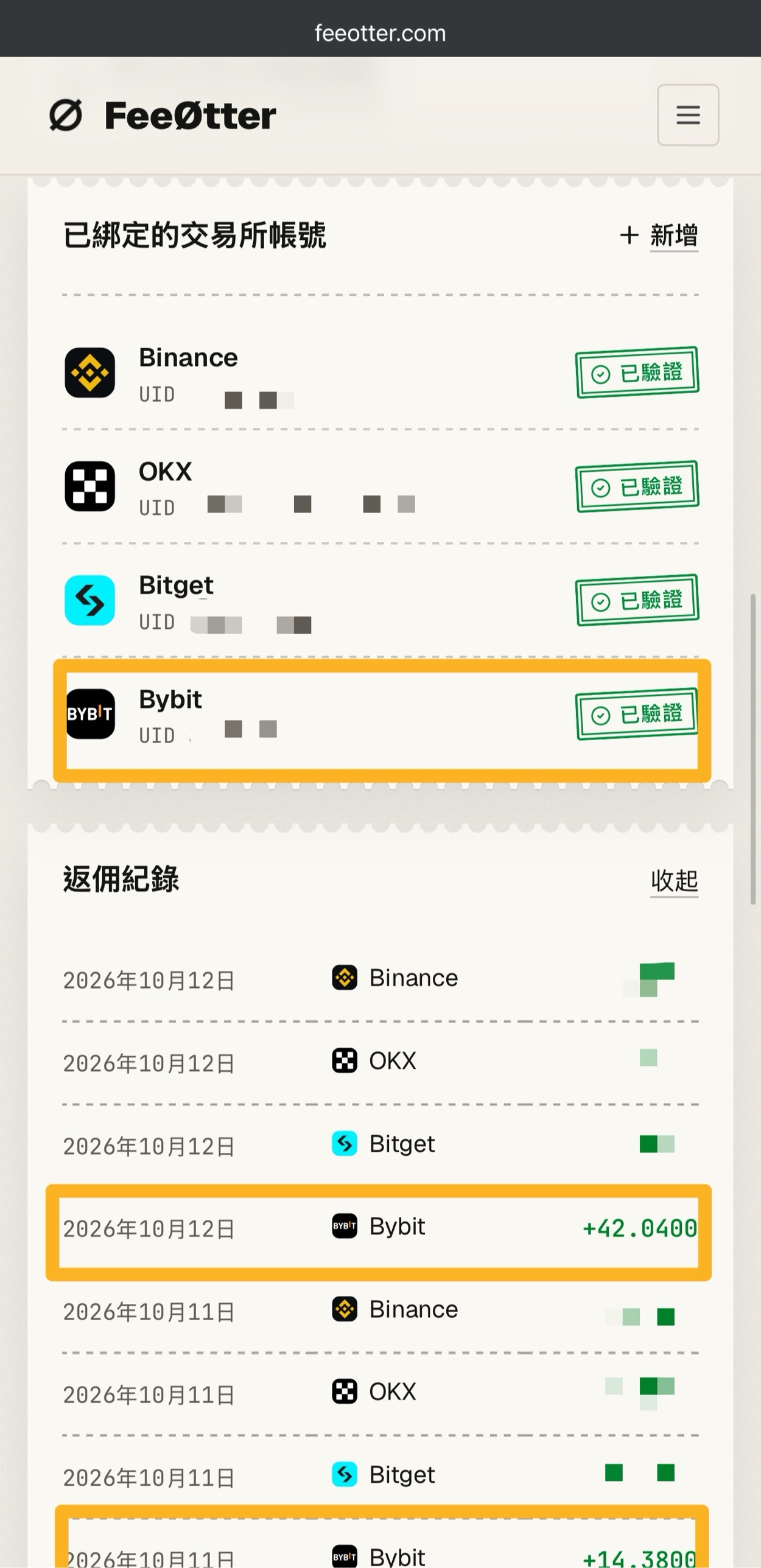
The first amount above, 20,000 USDT, is the trade volume from opening and closing the 10,000 USDT position in the example. Bybit has no automatic fee rebate from the exchange on this site; its rebate channel is Fee Otter. The extra rebate is paid by Fee Otter, not by the exchange and not by Kevin Wu, and the rate is whatever Fee Otter’s page shows at the time. For the steps, see Bybit fee rebate.
How is the liquidation price calculated?
Binance triggers liquidation on the mark price, not the last traded price. Binance’s futures liquidation protocols (updated 2026-01-04) state that the mark price is calculated from funding data and a basket of prices from several spot exchanges, and is used to calculate the liquidation price and unrealized PnL. Liquidation is triggered when your margin (initial margin + realized PnL + unrealized PnL) falls below the maintenance margin, that is, when the margin ratio (maintenance margin ÷ margin balance) reaches 100%. Binance recommends keeping the margin ratio below 80%.
Binance’s USDⓈ-M liquidation price calculation guide (updated 2025-12-31) gives the full formula. For isolated margin in one-way mode, ignoring fees and funding, it simplifies to: long liquidation price = (entry price − margin ÷ quantity) ÷ (1 − maintenance margin rate), and short liquidation price = (entry price + margin ÷ quantity) ÷ (1 + maintenance margin rate). I checked the full formula against the ETHUSDT cross margin example on the official page and got 1,153.26, the same as Binance’s answer. The table below uses a BTC entry price of 80,000 USDT (an assumption to keep the math simple), margin of 1,000 USDT and BTCUSDT’s tier 1 maintenance margin rate of 0.40%:
| Leverage | Position value (USDT) | Long liquidation price | Drop that triggers liquidation | Short liquidation price | Rise that triggers liquidation |
|---|---|---|---|---|---|
| 2x | 2,000 | 40,160.64 | 49.80% | 119,521.91 | 49.40% |
| 5x | 5,000 | 64,257.03 | 19.68% | 95,617.53 | 19.52% |
| 10x | 10,000 | 72,289.16 | 9.64% | 87,649.40 | 9.56% |
| 20x | 20,000 | 76,305.22 | 4.62% | 83,665.34 | 4.58% |
| 50x | 50,000 | 78,714.86 | 1.61% | 81,274.90 | 1.59% |
| 100x | 100,000 | 79,518.07 | 0.60% | 80,478.09 | 0.60% |
| 150x | 150,000 | 79,785.81 | 0.27% | 80,212.48 | 0.27% |
For a quick mental estimate, use “1 ÷ leverage − maintenance margin rate”: at 10x that is about 10% − 0.4% ≈ 9.6%; at 150x, a move of only about 0.27% against you in BTC triggers liquidation. In cross mode, the futures wallet balance and the PnL of your other positions also count, so the liquidation price is farther away than in the table. To use your own numbers, try the liquidation price calculator.
On liquidation, the system first cancels your open orders, then tries to close only part of the position. Whatever cannot be closed becomes a bankrupt position, which the futures insurance fund takes over at the bankruptcy price, and the bankruptcy price may be worse than the liquidation price. A liquidated position also pays a “liquidation clearance fee”, calculated as the position’s notional value × the fee rate. When I read the official API on 2026-10-17, the rate was 1.25% for BTCUSDT and ETHUSDT; among the other USDT perpetual contracts, 304 were at 1.5%, 180 at 2% and 29 at 2.5% (Binance’s futures trading rules page is authoritative). Binance also states that a small position’s maintenance margin may be lower than the liquidation clearance fee rate, so small positions are more likely to be wiped out entirely when liquidated.
Binance’s introduction to the futures insurance fund (updated 2026-01-04) states that the insurance fund is not an insurance product and will not cover traders’ losses. When the fund is insufficient, auto-deleveraging (ADL) kicks in, ranking positions by leverage and profit and forcibly closing positions on the other side.
How do you set take-profit and stop-loss?
How it works according to Binance’s take-profit and stop-loss FAQ (updated 2026-08-24): when placing a limit order, click “Limit”, enter the price and quantity, tick “TP/SL”, choose whether to trigger on the “Last Price” or the “Mark Price”, then enter the take-profit and stop-loss prices. You can also set them by estimated PnL, ROI% or offset% instead. Finally, click “Buy/Long” or “Sell/Short”. If the position is already open, add or edit them in the “Positions” tab, and the setting applies to the whole position.
- Not together with Reduce-Only: a single order can use either TP/SL or Reduce-Only, not both.
- Hedge mode limitation: in hedge mode, a TP/SL attached when placing an order can only be used on opening orders.
- Quantity follows the main order: TP/SL orders are always placed for the main order’s quantity, even if the main order is only partly filled, so a secondary order may fill completely before the main order does. When the trigger price is too close to the main order’s price, the secondary order is likely to be cancelled when the main order fills.
- Multiple TP/SL orders: use “Split targets” on the website and “Partial TP/SL” in the app.
- Automatic cancellation: once a position is closed, its TP/SL orders are cancelled automatically.
Which trigger price to choose: Binance’s stop-loss and take-profit order guide (updated 2026-01-02) warns that in sharp moves the last price may deviate significantly from the mark price, while liquidation follows the mark price; the mark price is first rounded down to the trading pair’s price precision before Binance checks whether an order is triggered. Binance also advises against setting the stop-loss too close to the liquidation price, or the position may be liquidated before the stop-loss executes. Take the 10x long in the table above: its liquidation price is 72,289.16, so the stop-loss should sit some distance above that price. On the website, you can change the default to the last price or the mark price under “Preferences” → “Default Trading Settings” → “Default Trigger Type”.
Binance’s futures order types (updated 2026-04-07) lists 11 order types. Among them, a “Post Only” order guarantees you pay the 0.02% Maker rate, while a market order fills immediately and may suffer slippage.
The most common beginner mistakes
- Not noticing that cross margin is the default: all Binance futures default to cross margin, so on liquidation you may lose more than the margin of that one position. If you want isolated margin, switch before your first order.
- Thinking fees are charged on margin: fees are charged on position value. Open 20x with 1,000 USDT, and a Taker round trip costs 20,000 × 0.05% × 2 = 20 USDT, which is 2% of your margin gone before the price has even moved.
- Ignoring how often funding settles: 80% of USDT perpetual contracts settle every 4 hours, so the same rate is paid 6 times a day.
- Choosing “Advanced” at sign-up without changing the leverage: Advanced defaults to 20x leverage, so if you don’t adjust it before ordering, you open the position at 20x.
- Setting the stop-loss too close to the liquidation price: the position may be liquidated before the stop-loss fills.
- Using heavy leverage on a small position: BTCUSDT’s liquidation clearance fee rate of 1.25% is higher than its tier 1 maintenance margin rate of 0.40%, and Binance states that small positions are more likely to be wiped out entirely when liquidated.
- Adding to a losing position: the example in Binance’s guide to reducing liquidation risk (updated 2026-01-02) is a 20x long that adds to its position as BTC falls from 50,000 to 45,000 USD, which moves the liquidation price up from 25,100.40 USD to 35,857.67 USD.
What are the risks of Binance futures?
Futures are not a principal-protected product. All of the following risks are stated on Binance’s official pages:
- You may lose all of your margin: the risk warning in Binance’s futures beginner’s guide states that in extreme price swings, your entire margin balance may be liquidated.
- The fill may be worse than the liquidation price: in violent markets the mark price may jump past the liquidation price within a second, and the insurance fund may take over the position directly at the bankruptcy price, so the loss will be larger than expected (liquidation protocols).
- Auto-deleveraging: when the insurance fund is insufficient, profitable positions on the other side may be forcibly closed.
- Notifications are not guaranteed to arrive: margin call and liquidation notices are sent by email and in-app message on a best-effort basis, but Binance does not guarantee timely delivery.
- Rules change: maximum leverage, maintenance margin rates and funding settlement intervals may all be adjusted, and small changes to maintenance margin rates may be made without a separate announcement.
- Regional restrictions: Binance’s products and services are not available in every region.
Weigh the risks of the exchange itself as well. Binance’s proof of reserves and past security incidents are covered in the Binance review, the exchange proof of reserves comparison and the exchange safety record.
FAQ
Do you have to pass a quiz to open Binance futures?
The official account-opening guide does not mention a quiz. It lists these steps: complete identity verification, choose your trading experience in the account-opening window, accept the futures service agreement and risk confirmation, then click “Open Now”. If your account’s screen asks for an extra confirmation or questionnaire, follow what the screen shows.
What is the minimum amount for Binance futures?
The official API on 2026-10-17 showed a minimum order amount of 5 USDT for most USDT perpetual contracts; for BTCUSDT it is 50 USDT, with a minimum quantity of 0.001 BTC. This is a floor on position value, not on margin; fees and the distance to liquidation are likewise calculated on position value.
How much are Binance futures fees?
USDⓈ-M futures fees at VIP 0 are 0.02% Maker and 0.05% Taker, charged once on opening and once on closing; paying with BNB gives a 10% discount. For VIP tiers and spot rates, see Binance fees.
What is Binance’s maximum leverage, and how much can beginners use?
In the leverage and margin page data on 2026-10-17, only BTCUSDT and ETHUSDT could go up to 150x, and most trading pairs were at 50x or below; the actual cap is whatever the order screen shows. During the first 30 days after a futures account is opened, however, every trading pair is limited to 20x, and regular users’ sub-accounts are limited to 5x.
Which is better on Binance, cross or isolated margin?
Each has a cost. With isolated margin, the maximum loss is limited to that position’s margin, but the liquidation price is closer. With cross margin, the same asset in your futures wallet backs the position and the liquidation price is farther away, but on liquidation your loss may exceed the margin you opened the position with. Binance defaults to cross margin, and you cannot switch while you have positions or open orders.
How often is the Binance funding rate charged?
By default every 8 hours (08:00, 16:00 and 00:00 Taiwan time), but the official API on 2026-10-17 showed that 420 of the 525 USDT perpetual contracts settle every 4 hours. If you close before settlement, you don’t pay.
Can you end up owing money after a Binance futures liquidation?
If a bankrupt position leaves your account with a negative balance, Binance covers it with the futures insurance fund where possible. Binance’s futures liquidation protocols state that eligible accounts are processed automatically every 10 minutes. The conditions include not having Multi-Assets Mode enabled, having no remaining positions in the account, and not having transferred in funds yourself after the liquidation to cover the loss. If you don’t meet them, you need to contact customer support.
Is there a rebate on Binance futures trading?
Yes. For accounts registered with a referral code that carries a rebate, USDⓈ-M futures fees also earn a rebate on net trading fees, converted to USDC every hour and paid to your spot account within 6 hours. Funding fees and zero-fee trades earn no rebate, and the rebate stops once you reach VIP 3 or above. The referral code has to be entered at sign-up; if you have already registered, see Binance referral code rebind, and to check your binding status, see how to check whether your referral code is bound.
The full fee calculation is in how futures fees are calculated, you can run your own position through the perpetual futures cost calculator, and how funding works and how exchanges compare is in what is the funding rate. Binance’s fees, identity verification and overall review are covered in Binance fees, the Binance identity verification guide and the Binance review; for comparisons with other exchanges, see Binance vs OKX, Binance vs Bybit and Binance vs Bitget. The referral code and how to sign up are in Binance referral code, and every exchange’s referral code is collected in the crypto exchange referral codes roundup.