


Updated Rules checked 2026-10-17
How to start trading futures on BingX: complete advanced identity verification (KYC), transfer USDT from your fund account to your perpetual futures account, then pick a trading pair, margin mode and leverage on the futures page, and you can place an order. BingX’s official futures tutorials list only these steps; I found no rule that you have to pass a quiz or fill in a questionnaire before you can start.
On cost, regular users (VIP 0) pay USDT-M perpetual futures fees of 0.02% Maker and 0.05% Taker, calculated on position value and charged once on opening and once on closing. Funding is charged separately, and most altcoin contracts on BingX settle it every 4 hours, more often than the “usually 3 times a day” in the help center. Leverage depends on the trading pair and position size: BTC and ETH go up to 150x in tier 1, and SOL and DOGE up to 300x in tier 1.
Leverage magnifies both profits and losses. If the price moves against you, your position may be forcibly liquidated and you lose all the margin you put in. This guide brings together the setup steps, cross vs isolated margin, position modes, fee and funding examples, liquidation prices, and take-profit and stop-loss orders, each with an official BingX source. BingX is well known for copy trading, which also runs on perpetual futures, so its costs are covered too.
Key points
BingX’s VIP 0 fees for USDT-M perpetual futures are 0.02% Maker and 0.05% Taker. Opening a 10x position with 1,000 USDT of margin and opening and closing it with Taker orders costs 10 USDT in total fees.
When I read BingX’s official API on 2026-10-17, of 560 crypto USDT-M perpetual contracts, 450 settled funding every 4 hours and 11 every hour; only 99 settled every 8 hours.
The same data shows a funding rate cap and floor of ±0.3% for BTC and ETH, but 470 contracts have a cap and floor of ±2%. A 10,000 USDT position that hits the cap pays 200 USDT in a single settlement.
BingX perpetual futures use the risk rate to decide liquidation, which is triggered when it reaches 100%. BingX also uses a dual-price mechanism: a position is liquidated only when both the mark price and the last traded price reach the estimated liquidation price.
BingX’s KYC benefits table states that accounts without identity verification can neither deposit nor trade.
The information below was checked against official pages on 2026-10-17 (data check date) and is provided for reference.
If you don’t have a BingX account yet, sign up with the referral code KEVINWU and BingX automatically refunds 45% of the trading fees you actually pay, on both spot and futures. This rate syncs with the exchange every day, and every change is recorded in the rebate rate report.
How do I enable futures trading on BingX?
Check two things before you start. The first is identity verification: the table on BingX’s KYC benefits page states that unverified accounts cannot deposit or trade, and full trading features are available only after advanced KYC; BingX also notes that benefits differ in some regions and that the product page prevails. The steps are in the BingX identity verification guide. The second is where you live: BingX’s disclaimer (updated 2023-12-11) lists the regions it does not serve, including the United States, Canada, the United Kingdom, the Netherlands, Singapore, mainland China, Hong Kong and Macau. The full list, compared across exchanges, is in exchange restricted countries.
Steps on the website
- Log in to BingX and complete advanced identity verification.
- Go to “Assets” and click “Transfer”, then move USDT from your fund account (or standard futures account) to your perpetual futures account.
- Hover over “Futures” in the top menu, choose “USDT-M Perpetual”, then pick a trading pair, such as BTC/USDT.
- In the order panel on the right, choose “Isolated” or “Cross”, then adjust the leverage.
- Choose an order type (limit, market or trigger order) and enter the quantity or amount; to set take-profit and stop-loss at the same time, tick “TP/SL”.
- Click “Open Long” or “Open Short”. The position appears in the “Positions” tab below.
Steps in the app
- Tap the futures icon in the middle of the bottom navigation bar (the 2023 official guide says “Trade” → “Futures”), then tap “Perpetual Futures” at the top.
- Use “Transfer” to move funds in from your fund account or standard futures account, or use “Deposit” to deposit crypto on-chain directly into your perpetual futures account.
- Pick a trading pair, tap the current leverage (5x by default), drag the slider or type a number, then tap “Confirm”.
- Enter the order price and quantity, tick “TP/SL” if you need it, then choose long or short to place the order.
- Under “Positions” you can see the average entry price, unrealized PnL, risk rate and estimated liquidation price. Tap “Close” to close the position, or use “Reverse” to flip its direction.
The website steps follow BingX: how to start futures trading and the BingX Academy perpetual futures tutorial (updated 2026-05-13); the app steps follow the BingX perpetual futures guide (app). If you want to practice first, use demo trading (go to “Futures → Perpetual Futures → Demo Trading”). An account that has never used it gets 200,000 VST in virtual funds, 100,000 VST each in the perpetual futures and standard futures accounts, completely separate from your real account (BingX demo trading announcement).
BingX’s futures menu also includes coin-margined, USDC and standard futures; this guide covers USDT-M perpetual futures. Standard futures are a simplified version: the 0.045% fee is charged only once, on closing, but the fill price includes a spread. See BingX fees.
Cross vs isolated margin: what is the difference, and which should you use?
| Item | Isolated | Cross |
|---|---|---|
| How margin is allocated | Each position gets its own margin | The account balance is shared across all cross positions |
| Maximum loss on liquidation | That position’s margin | That position’s margin plus the shared margin |
| Where funding is deducted from | The initial margin | The account balance |
| Long and short positions on the same pair | Each has its own estimated liquidation price | They offset each other and share one estimated liquidation price |
| Adjusting margin | You can add or remove margin manually | Adjusting the account balance adjusts the margin |
The table follows BingX’s isolated margin announcement (2025-03-12), BingX’s liquidation rules and BingX’s perpetual futures fee guide. BingX’s official example: with 1,000 USDT of available margin, if you use 100 USDT to open an isolated position, liquidation costs you only those 100 USDT; in cross mode, the entire account balance is the position’s margin, and liquidation costs you all of your available margin.
When a cross position triggers liquidation, the margin account is frozen and you cannot deposit, withdraw, transfer or place orders. The system first cancels open orders, then matches long and short positions on the same trading pair against each other, and if that is not enough, it liquidates positions one by one, starting with the largest loss. Which mode to choose depends on how much money you are willing to put at risk on this position: isolated has a closer liquidation price but a capped loss; cross has a farther liquidation price, at the cost of possibly dragging in the whole account.
One-way mode or hedge mode?
BingX calls two-way positions “hedge mode”. BingX Academy’s position mode guide (updated 2026-05-15) states that hedge mode is the default setting for perpetual futures: you can hold a long and a short on the same trading pair at the same time, with different leverage on each side. One-way mode allows only one direction at a time: an order in the opposite direction first closes your existing position, and only the excess quantity opens a new one. For example, if you hold a 10 BTC long and place a 20 BTC short, the long is fully closed and a new 10 BTC short is opened.
- Switching on the website: on the perpetual futures trading page, click “…” at the top right, choose “Preferences”, go to “Position Mode”, choose hedge mode or one-way mode, then confirm.
- Switching in the app: open perpetual futures, tap “…” at the top right, tap “Preferences” under common functions, then tap “Position Mode” to choose.
- Restrictions: you have to close all positions, limit orders and trigger orders before switching, and the setting applies to every contract in the account.
Watch out for “long-short self-matching”: when a cross position’s risk rate nears the liquidation threshold, the system first closes your long and short positions on the same trading pair against each other (BingX’s explanation of long-short position locking), so hedge positions you kept on purpose may be closed as a result.
How do you set leverage, and what is the maximum?
BingX controls risk with “tiered leverage limits”: the larger a position’s notional value, the lower the leverage you can use (BingX leverage and margin guide). The official app guide gives a default leverage of 5x. In addition, BingX’s leverage limit lookup states that for users who have not completed KYC, maximum leverage on some trading pairs is limited to 5x with a maximum position of 2,000, and that leverage and limits also depend on the user’s risk rating. Here are the first 4 BTCUSDT tiers, read from BingX’s official position and leverage page on 2026-10-17:
| Tier | Position notional value (USDT) | Maximum leverage |
|---|---|---|
| 1 | 0–300,000 | 150x |
| 2 | 300,000–7,500,000 | 125x |
| 3 | 7,500,000–9,000,000 | 62x |
| 4 | 9,000,000–11,000,000 | 41x |
Altcoins can actually go higher. Here are 4 major contracts checked on the same day; the maintenance margin rates come from the “Position and maintenance margin rate” tab of the same official page:
| Trading pair | Tier 1 maximum leverage | Tier 1 position limit (USDT) | Tier 1 maintenance margin rate |
|---|---|---|---|
| BTCUSDT | 150x | 300,000 | 0.1% |
| ETHUSDT | 150x | 300,000 | 0.1% |
| SOLUSDT | 300x | 820,000 | 0.17% (up to 220,000) |
| DOGEUSDT | 300x | 400,000 | 0.17% (up to 190,000) |
A BingX Academy article says “up to 500x”, and the TradFi contracts in the menu say “up to 1000X”; how much you can actually use depends on the trading pair and position size. At 300x, a price move of about 0.11% against you (1 ÷ 300 − 0.17% maintenance margin rate − 0.05% Taker rate) is enough to liquidate the position. Tiers are adjusted with liquidity, so before you place an order, go by the leverage screen on the futures page.
How are futures fees calculated?
Fee = position value × fee rate, charged once on opening and once on closing. BingX’s perpetual futures fee guide gives 0.05% for Takers (orders that fill immediately) and 0.02% for Makers (orders that rest on the book). When I read the official BingX contract information API on 2026-10-17, all 979 tradable perpetual contracts (930 USDT-margined, 49 USDC-margined) had a standard rate of 0.02%/0.05%, matching this site’s data.
Assumptions for the example: 1,000 USDT of margin at 10x, a position value of 10,000 USDT, a funding rate of +0.01% per settlement (when I read the official BingX funding rate API on 2026-10-17, BTC-USDT’s latest rate was 0.0084%, settled every 8 hours), and a 3-day holding period.
| Item | Calculation | Amount (USDT) |
|---|---|---|
| Opening fee (Taker) | 10,000 × 0.05% | 5 |
| Closing fee (Taker) | 10,000 × 0.05% | 5 |
| Maker on both opening and closing | 10,000 × 0.02% × 2 | 4 |
| Funding, settled every 8 hours, 3 days | 10,000 × 0.01% × 9 times | 9 |
| Funding, settled every 4 hours, 3 days | 10,000 × 0.01% × 18 times | 18 |
| Funding, settled every hour, 3 days | 10,000 × 0.01% × 72 times | 72 |
| Taker in and out + 8-hour contract | 10 + 9 | 19 (1.9% of margin) |
| Taker in and out + 4-hour contract | 10 + 18 | 28 (2.8% of margin) |
Funding is paid between longs and shorts: when the rate is positive, longs pay shorts, and when it is negative, shorts pay longs. You pay or receive it only if you hold a position at the settlement time. The help center says funding is “usually settled at 3 times a day” and also notes that the times vary by pair. Here is the actual breakdown from the official API on the same day (excluding TradFi contracts such as stocks and forex):
| Settlement interval | Number of contracts | Settlements per day | Examples |
|---|---|---|---|
| Every 8 hours | 99 | 3 | BTC, ETH, SOL, XRP, DOGE, BNB |
| Every 4 hours | 450 | 6 | Most altcoins |
| Every hour | 11 | 24 | BUN, VEIL, FTR and others |
The caps and floors differ even more. The fee guide gives a formula cap and floor of ±0.3% for all coins, but the official API shows that only BTC and ETH are at ±0.3%; of 560 crypto contracts, 470 have a cap and floor of ±2%, and 43 have ±4%. A 10,000 USDT position that hits the ±2% cap pays 200 USDT in a single settlement, or 20% of the 1,000 USDT margin, and on a 4-hour contract that can happen up to 6 times a day. The futures page shows the expected funding rate and the time left until settlement, so check them before you hold a position.
Compared with the VIP 0 futures rates of a few large exchanges, BingX’s Taker rate is the same as Binance’s and OKX’s:
| Exchange | Futures Maker | Futures Taker | 10,000 USDT Taker in and out | Rebate channel |
|---|---|---|---|---|
| BingX | 0.02% | 0.05% | 10 USDT | Automatic fee rebate from the exchange; see BingX referral code |
| Binance | 0.02% | 0.05% | 10 USDT | Automatic fee rebate from the exchange; see Binance referral code |
| OKX | 0.02% | 0.05% | 10 USDT | Automatic fee rebate from the exchange; see OKX referral code |
| Bybit | 0.02% | 0.055% | 11 USDT | Fee Otter; see Bybit fee rebate |
| Bitget | 0.02% | 0.06% | 12 USDT | Automatic fee rebate from the exchange; see Bitget referral code |
Sources: BingX fee guide, Binance fee page, OKX fee page, Bybit trading fee structure, Bitget fee page. Look at how often funding settles as well: Bitget also settles nearly half of its contracts every 4 hours, and the two exchanges are compared in BingX vs Bitget. For how to get started on other exchanges, see the Binance futures guide, OKX futures guide, Bybit futures guide and Bitget futures guide.
How does the referral code rebate apply to futures?
BingX’s Partner Center user guide (2025-06-20) states that commission is calculated on the fees the user actually generates, and when the user has a fee discount, on the discounted fees. Commission on fees generated between 0:00 and 24:00 (UTC+8) on a given day is paid to the referrer’s fund account between 0:00 and 3:00 the next day. BingX does not state separately when the invitee’s cashback is credited. Funding fees are not fees BingX collects, so they do not generate rebates; fees refunded by rebate vouchers and trades made with trial funds do not count either.
| Monthly volume | Fees (0.05%) | Auto rebate (45%) | Net fees |
|---|---|---|---|
| 20,000 USDT | 10 USDT | 4.5 USDT | 5.5 USDT |
| 300,000 USDT | 150 USDT | 67.5 USDT | 82.5 USDT |
| 1,000,000 USDT | 500 USDT | 225 USDT | 275 USDT |
Example at a futures fee rate of 0.05% and the current 45% automatic rebate (rate updated 2026-10-24). Your exchange statement prevails.
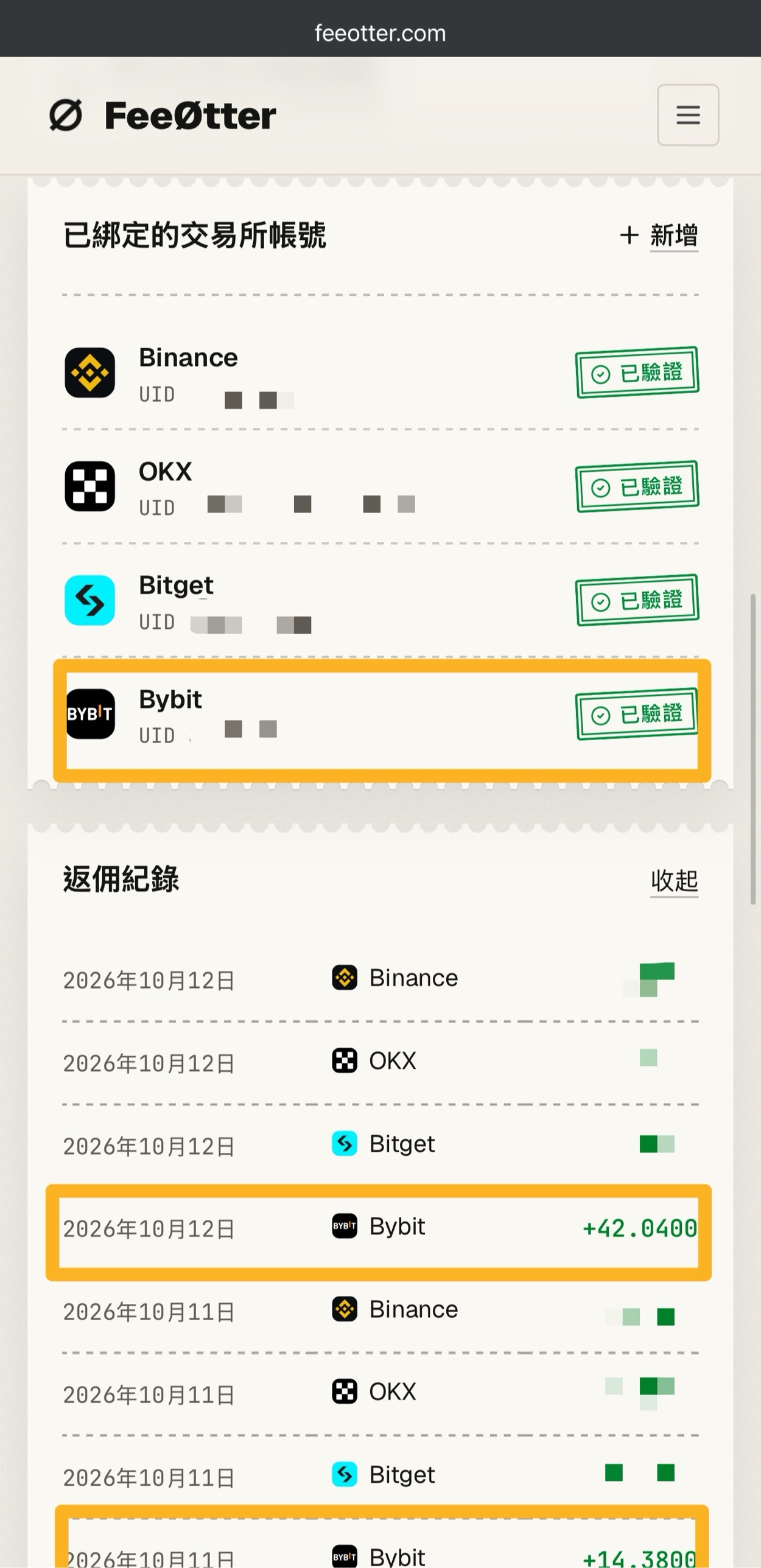
The first amount above, 20,000 USDT, is the trade volume from opening and closing the 10,000 USDT position in the example. Bybit has no automatic fee rebate from the exchange on this site; its rebate channel is Fee Otter. The extra rebate is paid by Fee Otter, not by the exchange and not by Kevin Wu; the money goes to your Fee Otter account, and the rate is whatever Fee Otter’s page shows at the time. For the steps, see Bybit fee rebate.
Copy trading also runs on perpetual futures: what does it cost?
BingX’s copy trading parameters overview states that perpetual futures copy trading has the same fees as trading on your own (Taker 0.05%). Copy trading itself is free of charge; you share profit with the lead trader only when you make a profit. For public copy trading, the profit share depends on the lead trader’s tier: Bronze 10%, Silver 16%, Gold 20%, Diamond 32%; private copy trading ranges from 0% to 50%. Settlement takes place the following Monday from 00:00 to 00:15 (UTC+8). Leverage caps and liquidation rules are also the same as for perpetual futures. Copy trading fees across platforms are compared in copy trading costs.
How is the liquidation price calculated?
BingX’s liquidation rules use the risk rate to decide liquidation; when the risk rate is ≥ 100%, position reduction or liquidation is triggered:
- Isolated risk rate = (maintenance margin + closing fee) ÷ (position margin + unrealized PnL)
- Cross risk rate = (maintenance margin of all cross contracts + closing fees) ÷ (balance − margin used by isolated positions − frozen assets + unrealized PnL of all cross positions)
- Maintenance margin = position notional value × maintenance margin rate − maintenance margin deduction; the closing fee is calculated at the Taker rate of your current VIP level.
BingX also uses a dual-price liquidation mechanism. The mark price is the median of three values (the index price, the index price + the 5-minute moving average basis, and the last traded price), and a position is liquidated only when both the mark price and the last traded price reach the estimated liquidation price (BingX’s dual-price liquidation mechanism). The BTCUSDT contract details page lists Binance, OKX and Bybit as its index price sources (BingX BTCUSDT contract details).
Working backward from an isolated risk rate of 100%, the long liquidation price ≈ (entry price − margin ÷ quantity) ÷ (1 − maintenance margin rate − Taker rate); for a short, change both minus signs to plus signs. The table below uses a BTC entry price of 60,000 USDT, margin of 1,000 USDT, BTCUSDT’s tier 1 maintenance margin rate of 0.1% and a Taker rate of 0.05%. The price is only an assumption to keep the math simple:
| Leverage | Position value | Long estimated liquidation price | Drop that triggers liquidation | Short estimated liquidation price | Rise that triggers liquidation |
|---|---|---|---|---|---|
| 2x | 2,000 | 30,045.07 | 49.92% | 89,865.20 | 49.78% |
| 5x | 5,000 | 48,072.11 | 19.88% | 71,892.16 | 19.82% |
| 10x | 10,000 | 54,081.12 | 9.86% | 65,901.15 | 9.84% |
| 20x | 20,000 | 57,085.63 | 4.86% | 62,905.64 | 4.84% |
| 50x | 50,000 | 58,888.33 | 1.85% | 61,108.34 | 1.85% |
| 100x | 100,000 | 59,489.23 | 0.85% | 60,509.24 | 0.85% |
| 150x | 150,000 | 59,689.53 | 0.52% | 60,309.54 | 0.52% |
For mental math, use “1 ÷ leverage − maintenance margin rate − Taker rate”: at 10x, that is 10% − 0.1% − 0.05% ≈ 9.85%. The simplified formula on BingX’s liquidation rules page leaves out the closing fee; at 10x it gives 54,060, less than 0.04% away from the table above. The real liquidation price is also affected by funding, margin you adjust manually and position tiers, and in cross mode the account balance has to be included. To plug in your own numbers, use the liquidation price calculator.
Once liquidation is triggered, an isolated position is frozen and the system takes it over at the bankruptcy price (the price at which the margin falls to 0), so you lose all the margin in that position. The system then closes the position in the market: if it fills at a better price than the bankruptcy price, the surplus goes into the risk reserve fund; if it fills at a worse price, the risk reserve fund covers the loss. When the risk reserve fund is depleted quickly or is insufficient, auto-deleveraging (ADL) is triggered; you can see your place in the ADL queue in the risk rate section of the positions page.
How do you set take-profit and stop-loss?
You can set them in two places: tick “TP/SL” when you place an order, or set them on an existing position under “Positions”. BingX’s TP/SL upgrade announcement (2026-02-03) describes the new rules. The app must be version 4.77.0 or later, and the feature is being rolled out in phases:
- Basic mode and advanced mode: when you place an order, basic mode sets TP/SL on the “Entire position” by default and lets you enter a return rate or PnL amount directly, with the trigger price calculated automatically; advanced mode lets you choose “Current order” or “Entire position”.
- Entire position: you can set only one pair of orders for the whole position, and the order quantity syncs automatically when you add to or reduce the position. Once triggered, it closes all of the remaining position at market in one go.
- Partial position: you can split it into several orders, and each one closes its quantity at market or limit, as you choose, when triggered. Once either the take-profit or the stop-loss executes, the other is cancelled automatically.
- Trigger price: you can choose the mark price or the last price (BingX order types guide). With market execution, BingX also warns that in extreme markets the order may not fill immediately.
BingX also has a “Guaranteed Stop Loss” feature: once enabled, your position is guaranteed to close at the stop-loss price you set, and BingX bears the slippage. It is a paid feature, charged on trade value only when it triggers, at the rate shown on the trading page; once set, it cannot be changed, and some trading pairs do not support it (BingX guaranteed price feature guide). Your stop-loss has to sit before the estimated liquidation price, or the position will be liquidated first. Take the 10x long in the table above: the estimated liquidation price is 54,081.12, so a stop-loss only has a chance to trigger first if it is set at 55,000 or higher.
There are five order types: limit, market, trigger, trailing stop and post only. A “Post only” order is cancelled automatically if it would fill immediately, which guarantees you pay the 0.02% Maker rate. Market orders may deviate by at most 2%, and any part beyond that is cancelled automatically.
The most common beginner mistakes
- Thinking fees are charged on margin: fees are charged on position value. With 1,000 USDT at 20x, one Taker entry and exit costs 20,000 × 0.05% × 2 = 20 USDT, so 2% of your margin is gone before the price has even moved.
- Thinking funding is charged only 3 times a day: of 560 crypto contracts, 450 settle every 4 hours and 11 every hour, and most altcoins have a funding cap and floor of ±2%, not BTC’s ±0.3%.
- Not knowing the default is hedge mode: in hedge mode, opening a short opens a separate short position instead of closing your existing long. To close it, use “Close”, or switch to one-way mode.
- Being drawn in by 300x: SOL and DOGE go up to 300x in tier 1, but a price move of about 0.11% against you is enough to liquidate the position, and fees are charged on the full 300x position value.
- Looking only at unrealized PnL: the BingX app guide states that the PnL shown on your positions does not include the fees and funding paid while you hold them, so what you actually receive is lower once those are deducted.
What are the risks of BingX futures?
Futures are not a principal-protected product. All of the risks below are stated on official BingX pages:
- Losing all your margin: liquidation closes the position at the bankruptcy price. In isolated mode you lose all the margin in the position, and in cross mode you also lose the shared margin. BingX’s official risk warning states that derivatives trading may result in the partial or total loss of the funds in your account (liquidation rules, leverage limit lookup).
- Auto-deleveraging and long-short self-matching: when the risk reserve fund is insufficient, auto-deleveraging may be triggered; when a cross position nears liquidation, the system automatically closes your hedge positions on the same trading pair.
- Take-profit and stop-loss orders are not guaranteed to fill: with market execution, an order may not fill immediately in extreme markets, and a trigger order may also fail when it triggers because of margin or position limits (order types guide).
- Rules change: the system adjusts leverage tiers and position limits dynamically based on liquidity, funding settlement frequency may also be adjusted in extreme markets, and BingX reserves the right to update the mark price selection criteria without prior notice.
- Copy trading risk: the risk warning on BingX’s website states that copy trading, or copying other people’s trades, carries extremely high investment risk, and that a lead trader’s past performance does not indicate future results.
Consider the risks of the exchange itself as well. BingX’s proof of reserves and past security incidents are covered in the BingX review, the exchange proof of reserves comparison and the exchange safety record.
FAQ
Do I have to pass a quiz to enable BingX futures?
The official BingX futures tutorials I found do not mention a quiz or questionnaire. The conditions they list are completing identity verification and then transferring USDT to your perpetual futures account. If your account shows a risk disclosure or questionnaire, follow what the screen asks for.
Can I trade BingX futures without KYC?
Generally, no. BingX’s KYC benefits table states that unverified accounts can neither deposit nor trade, and the leverage limit page adds that users who have not completed KYC are limited to 5x on some trading pairs. Benefits differ by region, and the product page prevails. Advanced verification is expected to take 2 to 10 minutes.
What are BingX’s futures fees?
VIP 0 fees for USDT-M perpetual futures are 0.02% Maker and 0.05% Taker, charged on position value once on opening and once on closing. With assets of 50,000 USDT on the previous day, you move up to VIP 1, where the futures Taker rate drops to 0.04%; the full VIP table is in BingX fees.
What is BingX’s maximum leverage?
It depends on the trading pair and position size. BingX’s official leverage page on 2026-10-17 showed that BTCUSDT and ETHUSDT go up to 150x for positions up to 300,000 USDT, and SOLUSDT and DOGEUSDT up to 300x in tier 1. The larger the position, the lower the maximum leverage: once a BTCUSDT position exceeds 300,000 USDT, it drops to 125x.
What is the minimum to trade BingX futures?
The official API shows a minimum order value of 2 USDT for perpetual futures and a minimum quantity of 0.0001 BTC for BTCUSDT. This is a floor on position value, not on margin: at 10x, about 0.2 USDT of margin is enough for the smallest order.
How often is the BingX funding rate charged?
It depends on the trading pair. Major coins such as BTC and ETH settle every 8 hours, and the official API on 2026-10-17 showed that of 560 crypto contracts, 450 settle every 4 hours and 11 every hour. If you hold no position at settlement, you don’t pay. How it works, compared across exchanges, is in what the funding rate is.
Can I get my money back after being liquidated on BingX?
No. BingX takes over a liquidated position at the bankruptcy price, so the position’s margin falls to 0. If there is a surplus when the system later closes the position in the market, it goes into the risk reserve fund.
Do BingX futures trades earn a rebate?
Yes. For an account registered with a referral code that carries a rebate, futures fees also earn a rebate calculated on the amount actually paid; funding fees, fees refunded by rebate vouchers and trades made with trial funds generate no rebate. A referral code has to be entered at sign-up, or added later as long as you have not deposited yet and have not invited any friends; once bound, it cannot be changed. If you have already deposited, see the BingX KYC transfer guide, and for how to check your binding status, see how to check whether your referral code is bound.
The full calculation of trading fees and funding is in how futures fees are calculated, you can run your own position through the perpetual futures cost calculator, and the difference between Maker and Taker is explained in Maker vs Taker fees. BingX’s fees, identity verification and overall review are covered in BingX fees, the BingX identity verification guide and the BingX review, and the comparison with Bitget is in BingX vs Bitget. The referral code and how to sign up are in BingX referral code, and every exchange’s referral code is collected in the crypto exchange referral codes roundup.