


Updated
This page collects the proof behind this site’s exchange referral codes in one place. We compared the public referral codes you can find online, and the automatic rebate our codes give you is basically the highest of them. Every exchange comes with a screenshot: most show the sign-up page opened from this site’s link; where an exchange’s sign-up page doesn’t show the rate, the screenshot shows the code’s settings in the exchange’s dashboard.
Exchanges in this article: referral rebates
Compare 17 exchange referral codes →The exchange pays the rebate automatically into your exchange account, based on the fees you actually pay. The exchange sets the rate, and no website sits in the middle. The rates in the table below sync with the exchanges every day, and each screenshot shows the date it was taken. The exchange’s current page prevails.
Referral code rebates at a glance
| Exchange | Automatic rebate | Referral code | Sign-up link |
|---|---|---|---|
| Binance | 20% | KEVINWU | Sign up |
| OKX | 20% | KEVINWU | Sign up |
| Bitget | 20% | KEVINWU | Sign up |
| Gate | 20% | KEVINXYZ | Sign up |
| MEXC | 20% | mexc-KEVINWU | Sign up |
| BingX | 45% | KEVINWU | Sign up |
| KuCoin | 60% | KEVINWU | Sign up |
| HTX | 30% | KEVINWU | Sign up |
| XT.COM | Futures 60%, Spot 35% | KEVINWU | Sign up |
| LBank | Futures 50%, Spot 30% | KEVINWU | Sign up |
| Ourbit | 50% | KEVINWU | Sign up |
| BTCC | Futures 60% | KEVINWU | Sign up |
| Pionex | 15% | KEVINWU | Sign up |
Where futures and spot rates differ, both are listed. To see how the common “40% or 55% fee discount” claims are worked out, read exchange rebates and extra rebates explained.
Rebate screenshots by exchange
The rate marked in each screenshot is the rebate you get after signing up with that code.
To see what other referral codes online actually give, read the referral code test report: we checked 367 public codes one by one on official sign-up pages.
Binance
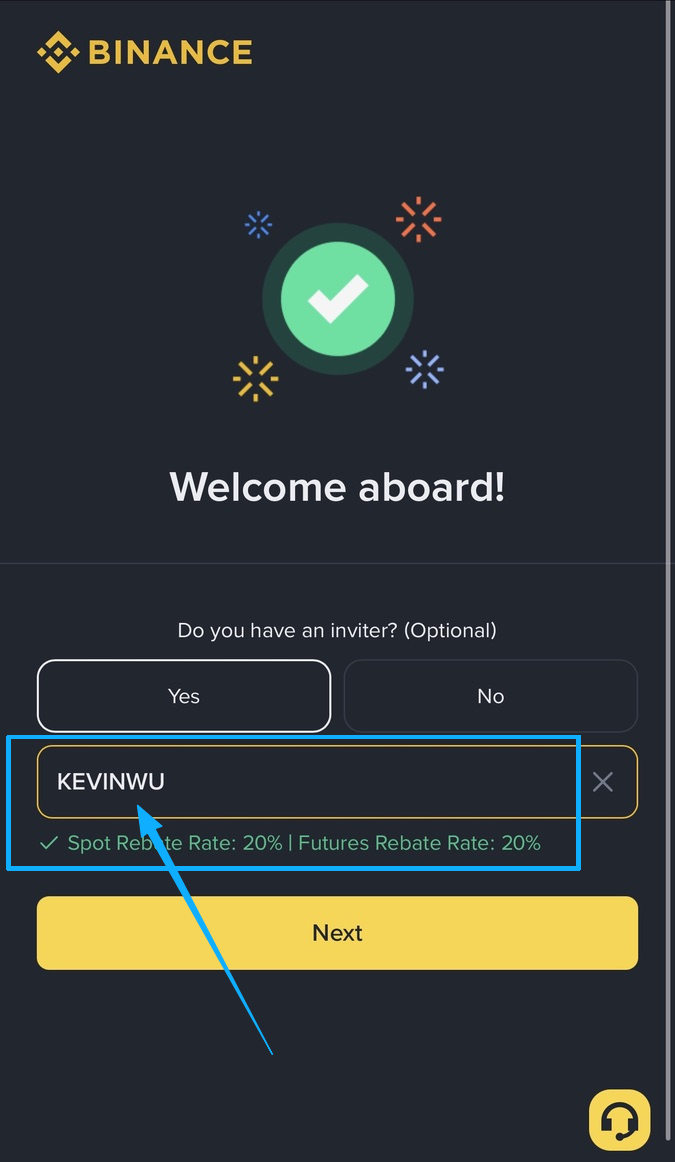
When you sign up for Binance from this site’s link and the code fills in the inviter field, the spot and futures rebate rates appear right below it. Open the Binance sign-up page
OKX
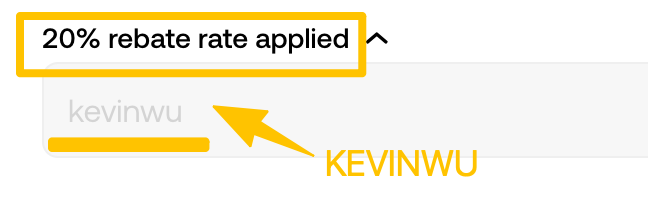
After you enter this code on the OKX sign-up page, “rebate rate applied” and the rate appear above the field. Open the OKX sign-up page
Bitget
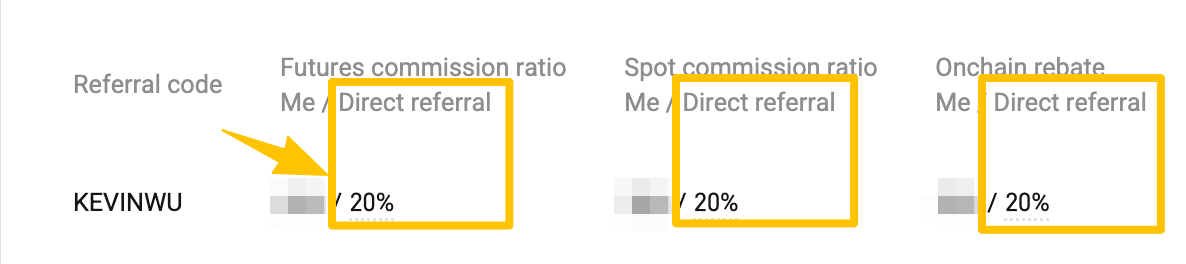
The Bitget sign-up page doesn’t show the rebate rate, so the screenshot shows this code’s settings in the Bitget dashboard; the “Direct referral” column is the rate you get. Open the Bitget sign-up page
Gate
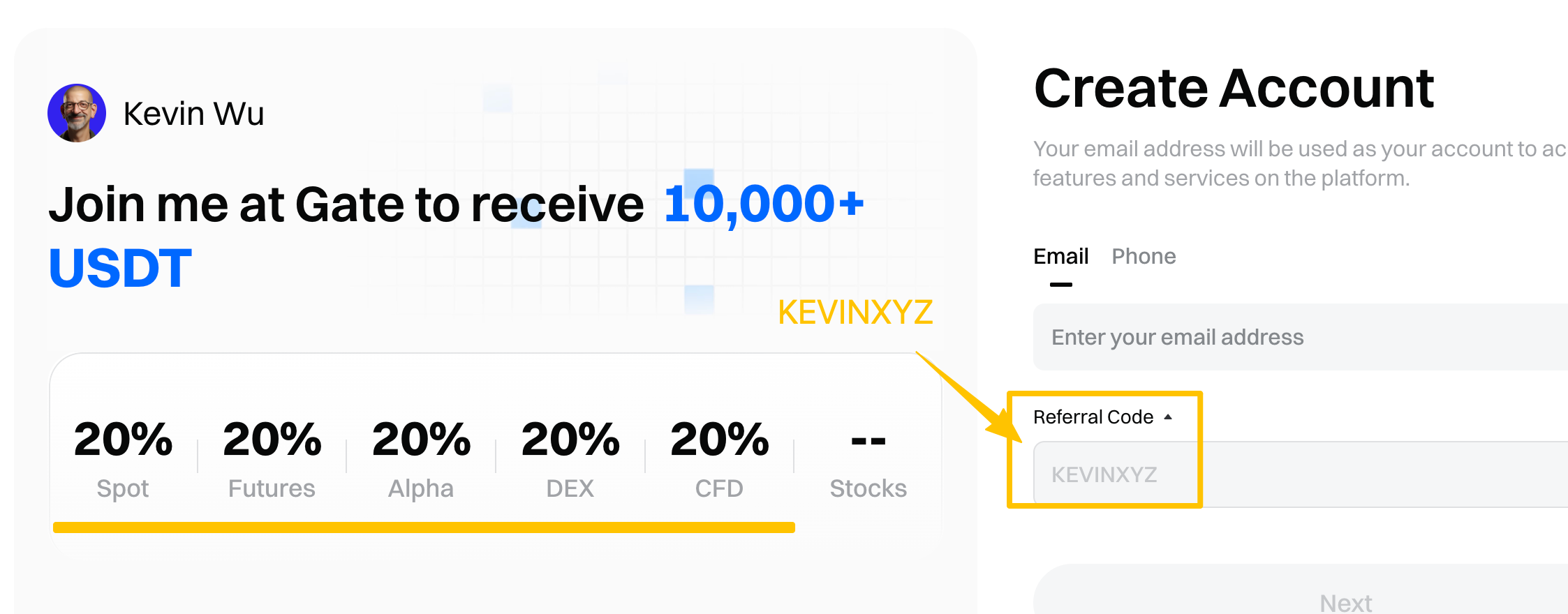
The left side of the Gate sign-up page lists this code’s rebate rate for spot, futures and the other markets. Open the Gate sign-up page
MEXC
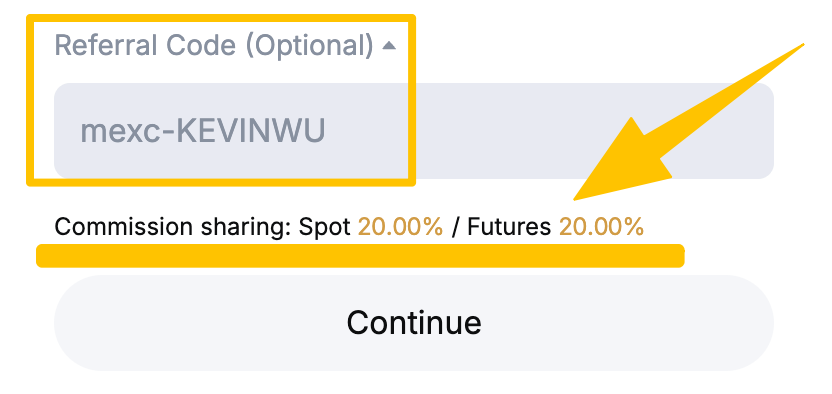
Below the referral code field on the MEXC sign-up page, you can see the spot and futures commission sharing rates. Open the MEXC sign-up page
BingX
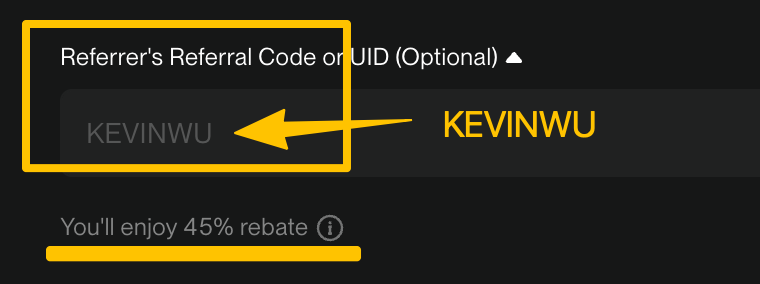
Below the referral code field on the BingX sign-up page, you can see the rebate you’ll enjoy. Open the BingX sign-up page
KuCoin
The KuCoin sign-up page doesn’t show the rebate rate, so the screenshot shows this code’s settings in the KuCoin dashboard; the “Commission Rate” column is the rate you get. Open the KuCoin sign-up page

HTX
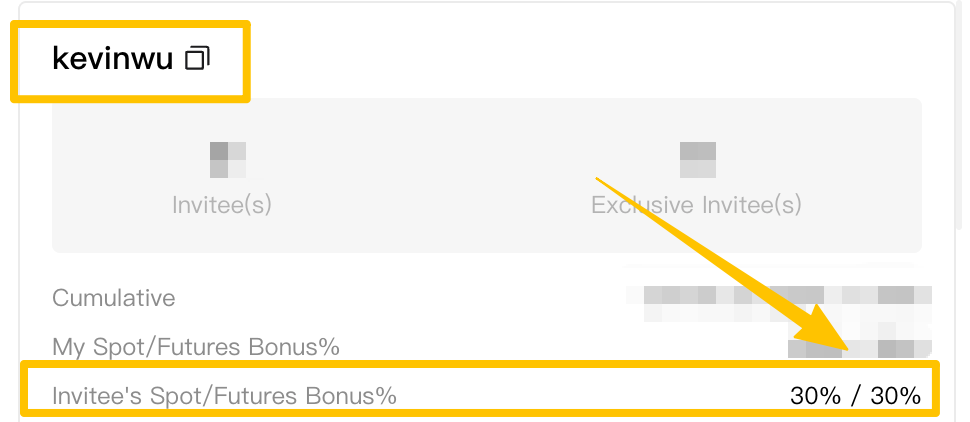
The screenshot marks the rebate rate this code gives invitees, which is the rate you get after signing up for HTX from this site’s link. Open the HTX sign-up page
XT.COM
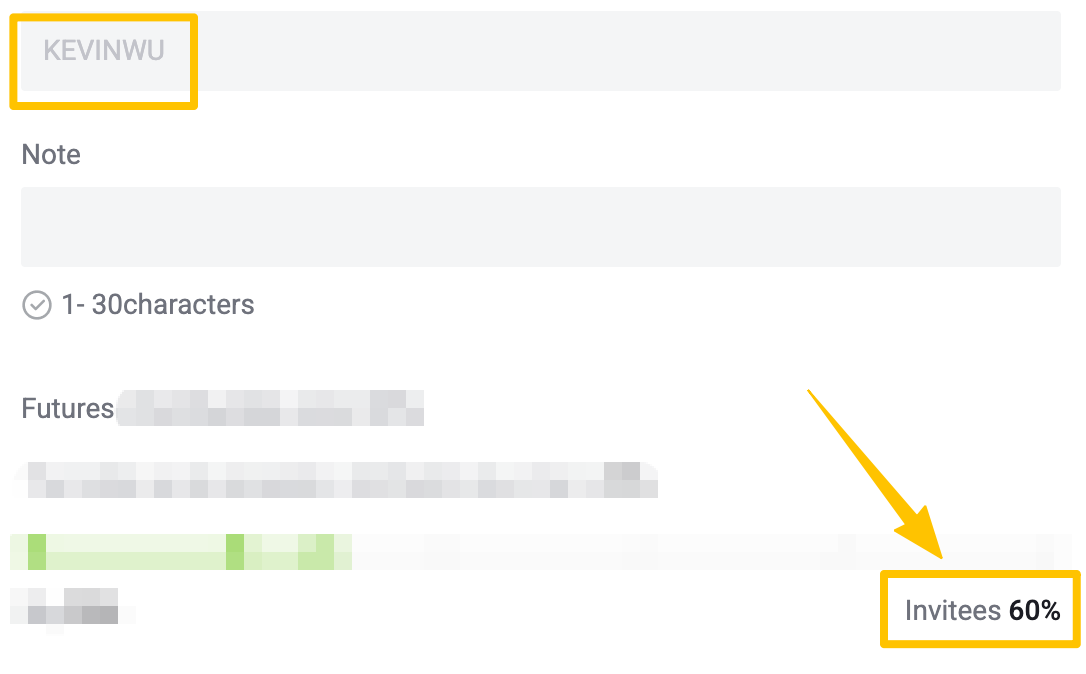
The XT.COM sign-up page doesn’t show the rebate rate, so the screenshot shows this code’s settings in the XT.COM dashboard; the “Invitees” figure is your futures rebate. For spot, the rate in the table above applies. Open the XT.COM sign-up page
LBank
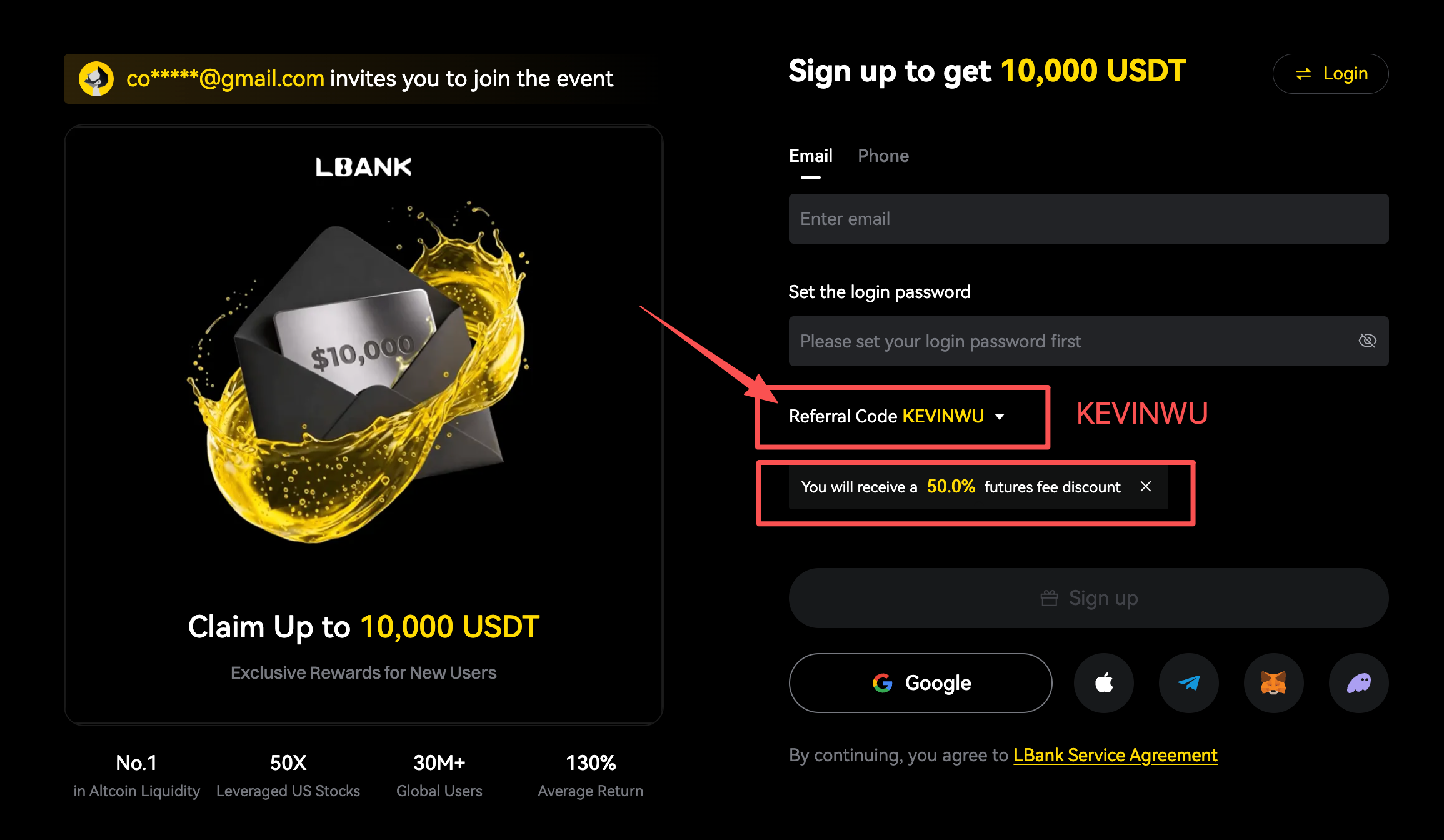
Once the code is filled in, the LBank sign-up page tells you the futures fee discount you’ll get. For spot, the rate in the table above applies. Open the LBank sign-up page
Ourbit
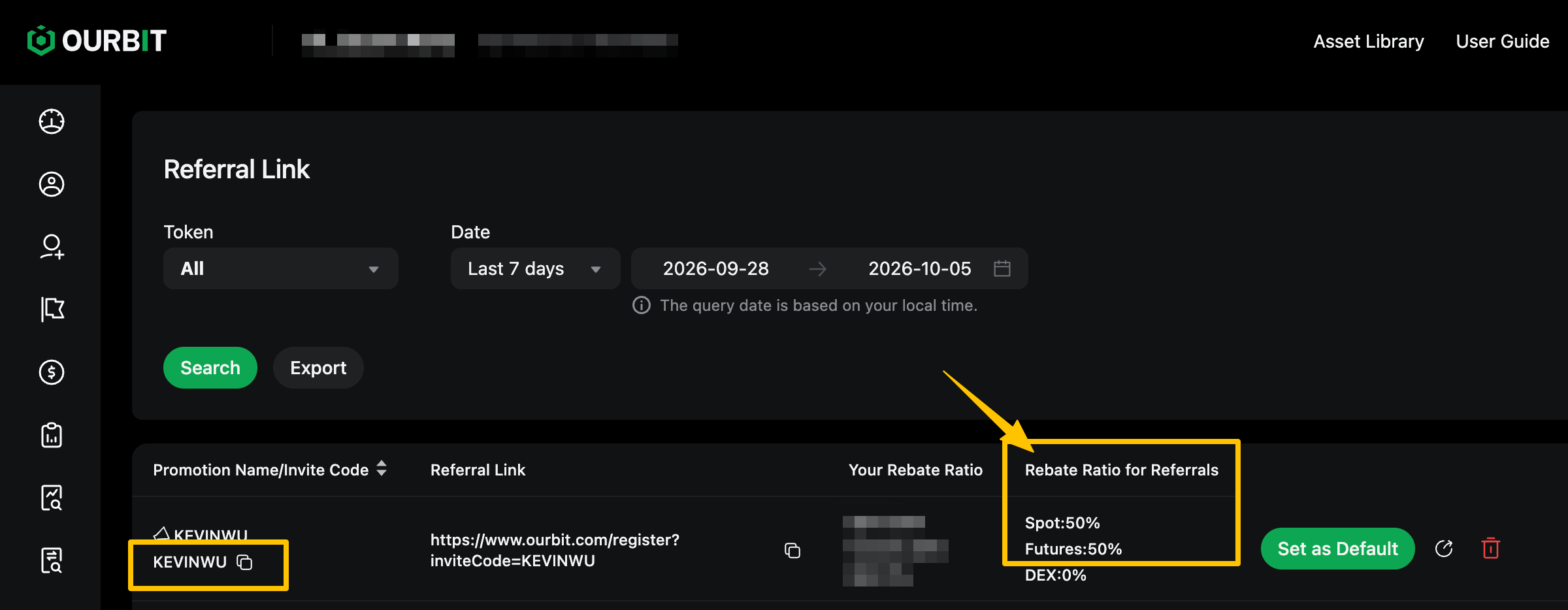
The screenshot shows this code’s settings in the Ourbit affiliate dashboard; the “Rebate Ratio for Referrals” column is the rate you get back. Open the Ourbit sign-up page
BTCC
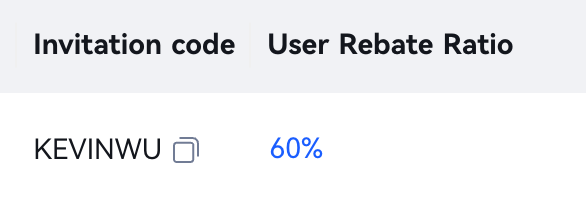
The BTCC sign-up page doesn’t show the rebate rate, so the screenshot shows this code’s settings in the BTCC agent dashboard; the “User Rebate Ratio” column is your futures rebate. Open the BTCC sign-up page
Pionex
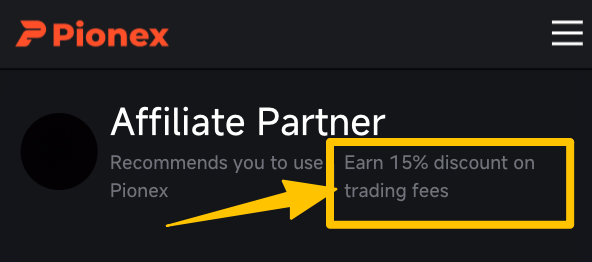
Open the Pionex sign-up page from this site’s link and you’ll see this site’s referrer card. Your trading fee discount shows after you bind the code: in the app, tap your avatar and open Referral Code, or on the web click the i icon next to Referral Code. Open the Pionex sign-up page
How can I check the rebate rate myself?
Besides the screenshots, you can check it yourself before and after signing up:
- Open the exchange’s sign-up page from this site’s link, and the referral code fills in automatically. On exchanges that show the rate, you’ll see it before you submit, just like in the screenshots above.
- Before you tap sign up, make sure the referral code field contains this site’s code.
- After signing up, open the exchange’s referral or rebate page to see who your account is bound to. Where to find it on each exchange is covered in how to check your referral code.
- Once you start trading, the exchange refunds the rebate automatically based on the fees you actually pay. No website handles the money, and you don’t need to apply for anything.
The rebate is calculated on fees, not on trade size. If you still don’t see a rebate after trading, go through the checklist for a missing referral rebate one item at a time.
Rebate rates are tracked every day
This site syncs each exchange’s automatic referral rebate every day. Whenever a rate changes, the date and the new rate are recorded automatically, and each month is summarized in the exchange rebate rate monthly report. Here is LBank’s record:
- Futures 50%, Spot 30%
- 30% (tracking started)
Rates sync with the exchange daily; every change is recorded automatically.
Get an extra rebate on top: Fee Otter
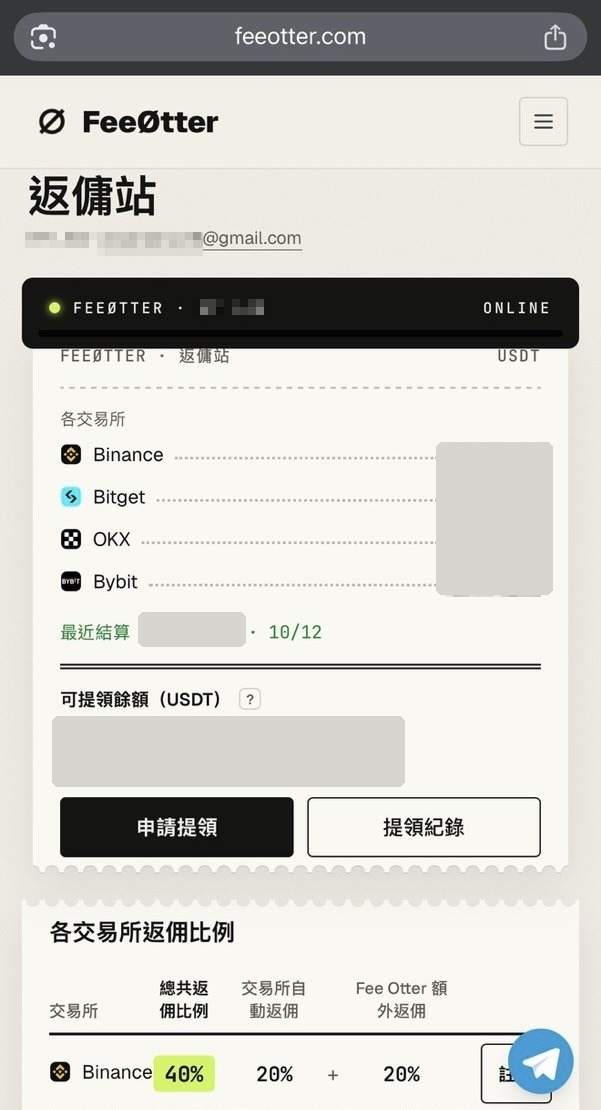
Fee Otter is a rebate site we use ourselves. After you sign up on an exchange through its link and bind your UID, the exchange still refunds part of your fees automatically into your exchange account, and Fee Otter settles an extra rebate every day that you can withdraw in USDT (BEP20). Bybit gives invitees no automatic rebate, so if you want fees back on Bybit, Fee Otter is the way to do it.
Fee Otter uses its own referral code, and each exchange account is bound to one referrer, so pick one option per exchange before you sign up: for example, Fee Otter for Bybit and this site’s codes for the other exchanges. Rates and binding steps for each exchange are in our Fee Otter review.
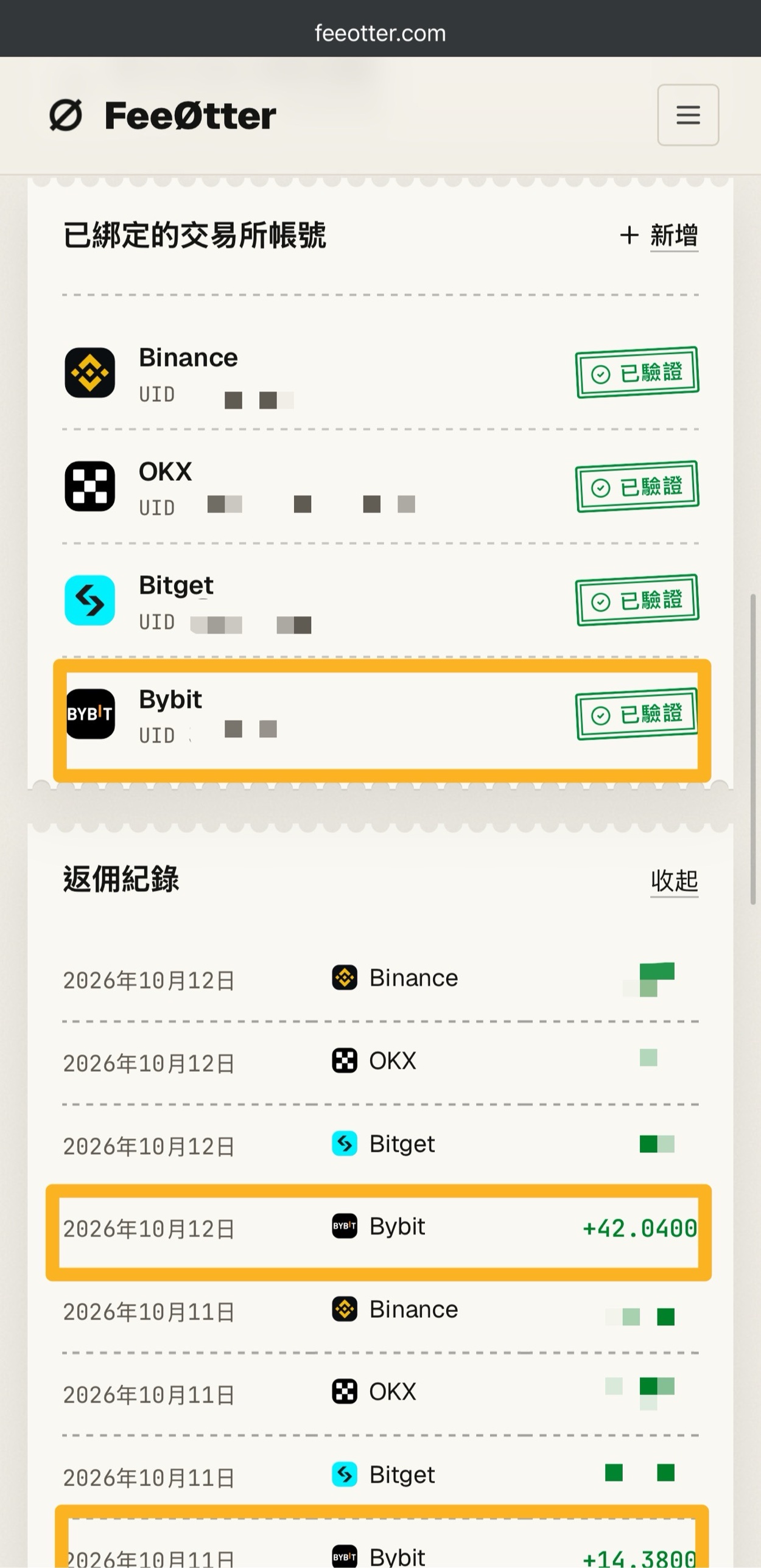
Withdrawal test: 171 USDT arrived in about two minutes
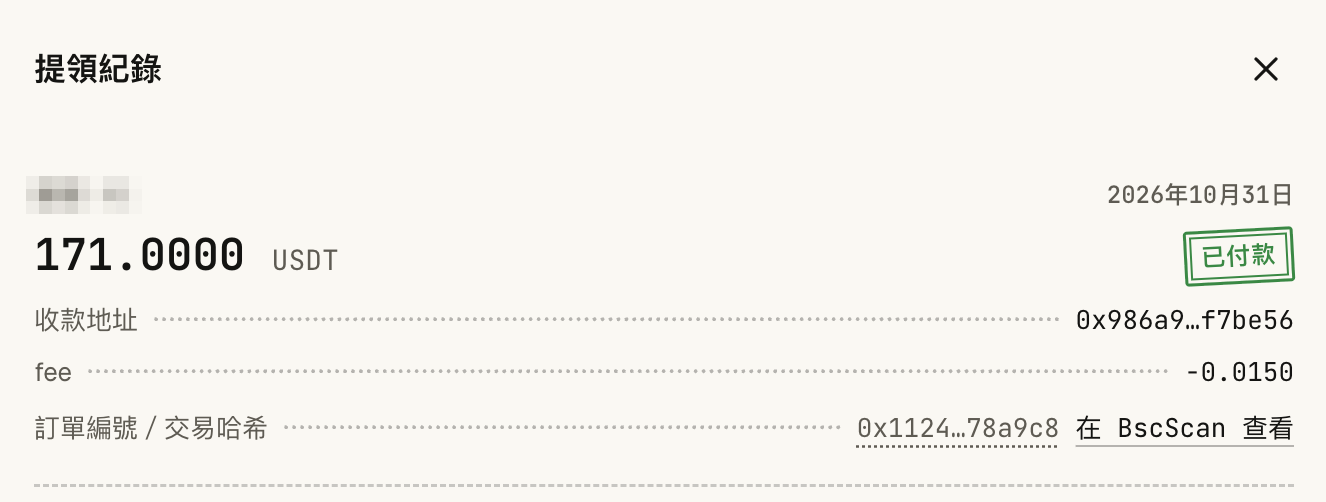
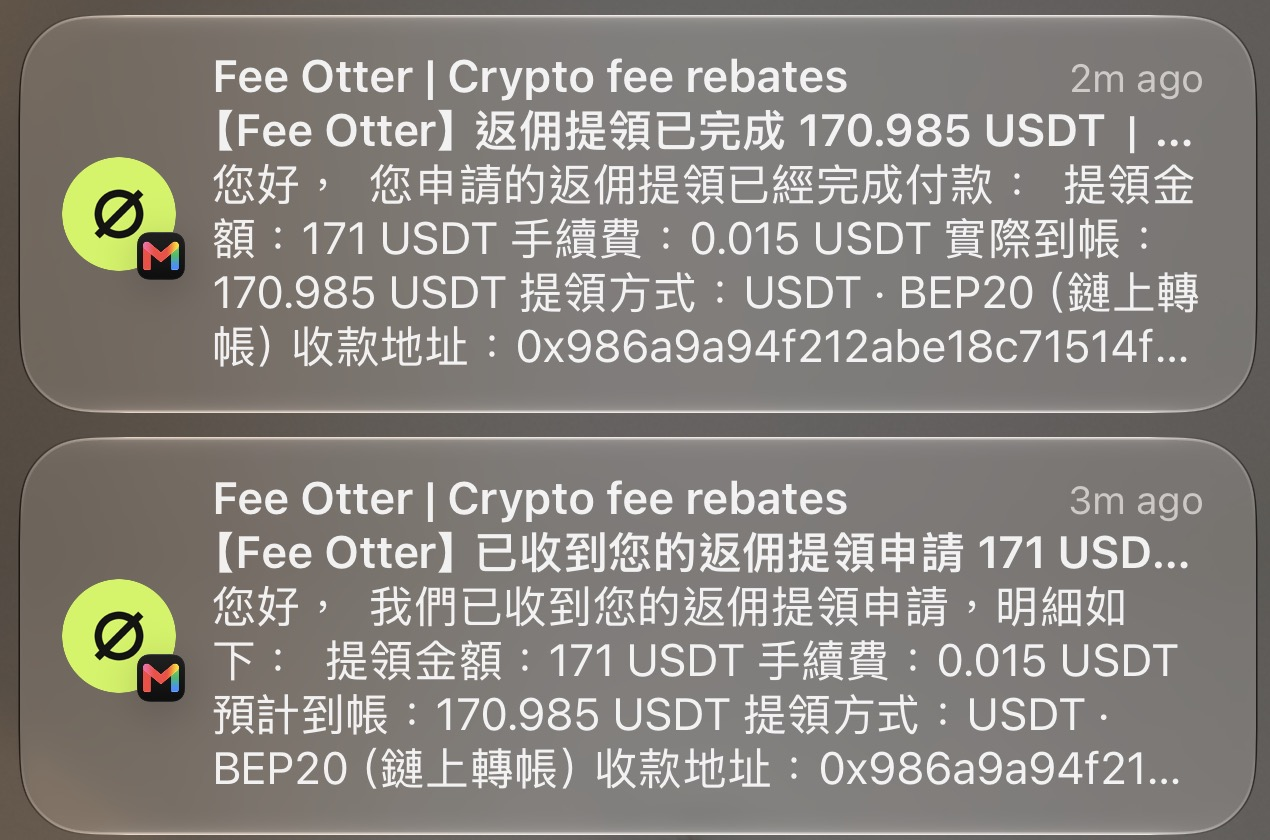
On 2026-10-31, Kevin Wu requested a withdrawal of 171 USDT. It was done in about two minutes, and after the 0.015 USDT network fee, 170.985 USDT arrived on BSC (BEP20). A smart contract on BNB Smart Chain makes the payment automatically, with no manual review. Every payout has a transaction hash listed on the Fee Otter payout transparency page, which you can look up on BscScan.

FAQ
Are referral code rebates real?
Yes. The rebate is an official fee discount from the exchange. The rate is bound to your account with the referral code when you sign up, and from then on the exchange automatically refunds that share of every fee you actually pay. Each exchange above has a screenshot, and many exchanges show the rate right on the sign-up page.
How do I confirm the rebate rate?
Open the sign-up page from this site’s link and look at the note near the referral code field. If the sign-up page doesn’t show it, go by the table and screenshots above. After signing up, you can confirm the binding on the exchange’s referral or rebate page; the steps are in how to check your referral code.
Why do you say this site’s referral codes have basically the highest rebate?
We compared the public referral codes you can find online, and the automatic rebate our codes give invitees is basically the highest of them, with a screenshot for every exchange. The rates sync with the exchanges every day and update automatically when they change; the record is in the rebate rate monthly report.
Do I have to claim the rebate? When does it arrive?
No claim needed. The exchange refunds the rebate automatically based on the fees you actually pay. Timing depends on each exchange’s rules.
Can I get Fee Otter’s extra rebate together with this site’s referral code?
Choose one per exchange account. Fee Otter uses its own referral code, and each account is bound to one referrer. You can choose separately for different exchanges, for example Fee Otter for Bybit and this site’s code for Binance.
For full details on each exchange’s referral code and the rules for adding a code later, see the exchange referral code overview.
Want to see these updates more often in Google Search? Add Kevin Wu as a preferred source on Google