


Updated
An LBank referral code (the interface calls it an “invitation code”) is entered when you first sign up, and LBank states that it can’t be added or changed after registration. So to switch referrers, you use another email address or phone number of your own that has never been registered on LBank, open a new account through the new referral link, and verify the new account with a different ID document of your own. This guide covers LBank’s official rules, what you need to open a new account, and the steps if you go through Fee Otter.
KEVINWUThe official rules below were checked on 2026-10-31 and are shared here for reference.
Can you switch your LBank referral code?
| Your situation | Can you switch? | What to do |
|---|---|---|
| Not registered yet | Yes | Sign up through a referral link and check the invitation code field before submitting |
| Registered, no referral code entered | With a new account | Sign up through the new referral link with an email or phone number never registered on LBank |
| Registered with someone else’s referral code | With a new account | The referral is set at first sign-up; same steps as above |
| Old account already passed KYC | With a new account | Verify the new account with a different ID document of your own, such as a passport or driver’s license |
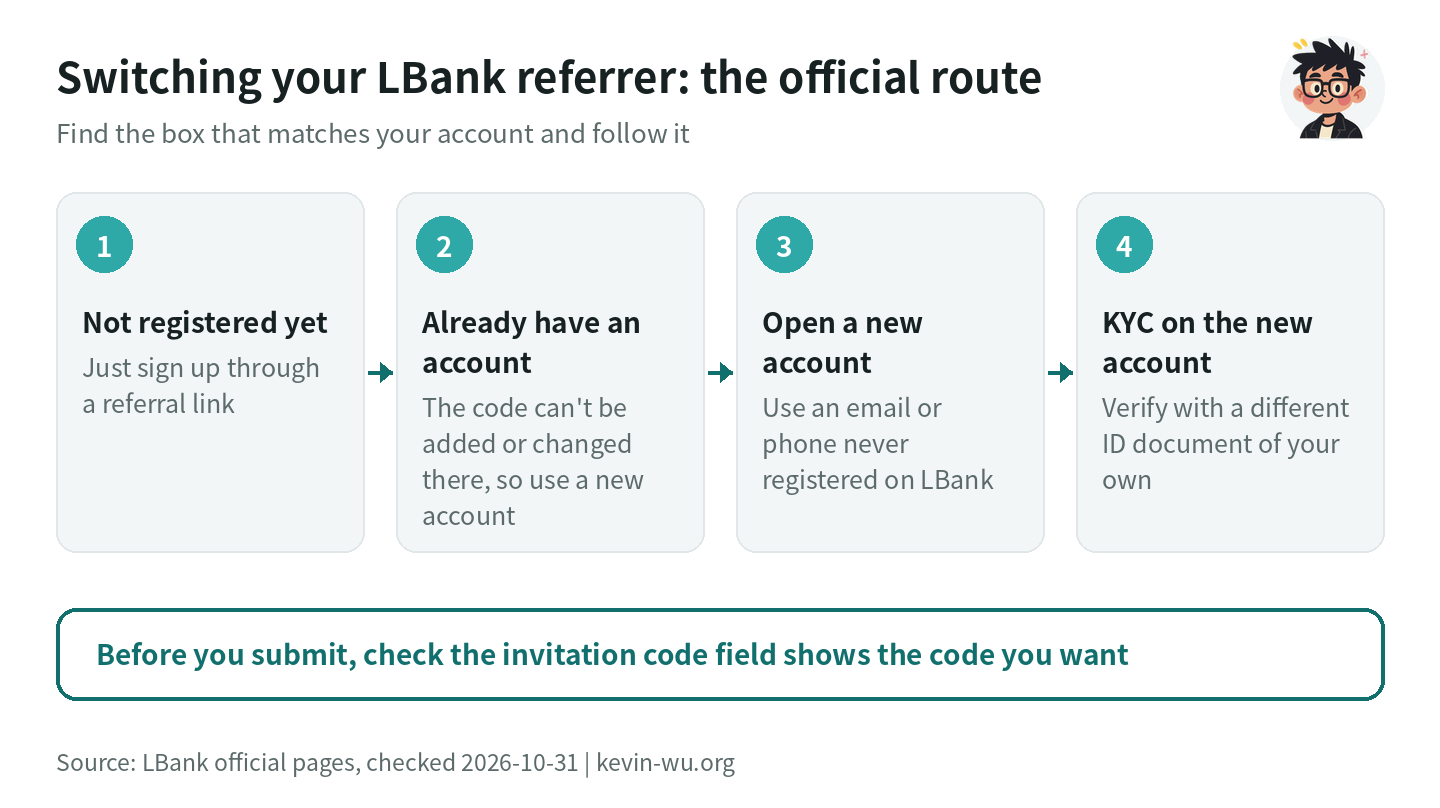
What are LBank’s official referral rules?
LBank’s “Referral Rebate & FAQ” lists three invitation code rules: the code must be entered when you first register your LBank account; if you forget to enter it or enter it incorrectly, the inviter won’t receive commission from that user; and the code can’t be added or changed after registration. The English version says the same: “The referral code cannot be added or modified after registration.” The FAQ also states that commission is paid only after the invitee completes a trade, on a T+1 basis (LBank referral rebate FAQ, page dated 2025-10-23).
LBank’s referral rebate page counts “the invited user registers” as a valid invitation, and each invitation code can set separate shares for the inviter and the friend (LBank referral rebate page). The help center has no process for registered users to add or change a referrer, so to switch referrers you sign up for a new account.
Already have an LBank account? How to open a new one
To open a new account you need two things: an email address or phone number never used on LBank, and an ID document of your own that hasn’t been verified on another LBank account. Here are the matching official explanations.
Use an email or phone number that has never been registered
LBank’s “How to register an LBank account with email?” states that registration succeeds if the email you enter hasn’t been used by another account; if the system says the email is already registered, use a different email that has never been registered on the LBank platform (LBank email registration guide). The same applies to phone numbers. Open the sign-up page from a referral link and the invitation code is filled in automatically; the page also shows the futures trading fee discount you can get.
Verify the new account with a different ID document of your own
LBank’s user agreement states that to trade digital assets after registering, you must provide your own genuine ID document and complete identity verification (LBank user agreement, 2026-07-22 version). The KYC FAQ lists “the document has already been verified on another LBank account” as one reason for rejection, and the official fix is to use another valid government-issued document, such as a passport or driver’s license (LBank KYC FAQ, 2026-07-24). If you verified your old account with a national ID card, you can use a passport or driver’s license for the new one.
LBank accepts passports, national ID cards or driver’s licenses issued by supported countries, and the selfie must include a handwritten note reading “LBank + year-month-day”. Automatic review usually takes 5–30 minutes, and manual review 1–3 business days. For the full steps, see the LBank KYC guide.
What to do with the old account and its assets
Once the new account is verified, withdraw the assets from the old account to the new one, choosing the same network on both sides; internal transfers to other LBank users also work. LBank’s privacy policy says users can close their LBank account from their profile page (LBank privacy policy). The user agreement doesn’t allow registering multiple accounts to make a profit, cash out or claim rewards, so after you switch, keep your trading on the new account and close the old one once your assets have been moved.
How to confirm your new LBank account has the right referral code
- Before you submit the sign-up form, check that the “Invitation code” field shows the code you want; when you open the page from a referral link, a futures trading fee discount notice appears below it.
- After trading on the new account, first check the fee you actually paid on each trade in your trade history. The official FAQ states that commission is paid the day after trading (T+1); it doesn’t say which page shows the invitee’s rebate, so check the credit records under your account assets the next day.
- If you still don’t see the rebate the next day, go through what to do if your referral rebate hasn’t arrived. Where to check on each exchange is covered in how to check your referral code binding.
How to switch your LBank referral code to this site
- If you haven’t registered on LBank yet, just sign up through this site's sign-up link; there’s nothing to switch. Before you submit, check that the invitation code field shows
KEVINWU. - If you already have an LBank account, sign up for a new account through this site's sign-up link with another email address or phone number of your own that has never been registered on LBank, and before you submit, check that the invitation code field shows
KEVINWU. Complete KYC on the new account with your own ID document; if the old account is already verified, use a different document, such as a passport or driver’s license. Once your assets are on the new account, you can close the old one from its profile page.
Once you sign up or bind with this site’s referral code, you get a Futures 50%, Spot 30% automatic trading fee rebate, paid back into your account by the exchange.
How to switch LBank through Fee Otter
- If you don’t have an LBank account yet, sign up through Fee Otter’s LBank sign-up link. The referral code is
FEEOTTER; check the field before you submit. - If you already have an LBank account, Fee Otter’s rebate page says to contact its support before switching to confirm what you can do with your account. The requirements for a new account are the same as above: an email or phone number that has never been registered, and a different ID document of your own.
- Sign up for Fee Otter and bind the new account’s UID. Binding needs only your UID, never your password, a verification code or an API key.
Fee Otter’s rebate page lists a total LBank rebate of 60%, made up of the exchange’s automatic rebate and an extra rebate settled daily by Fee Otter (checked 2026-10-31). The extra rebate is paid by Fee Otter, not by the exchange, and not by Kevin Wu. For how rebate sites differ, see how to choose a rebate site.
Good to know before switching on LBank
- Fees paid on the old account aren’t counted retroactively: rebates count only fees generated on the new account after sign-up.
- Open the sign-up page directly from the official site or the referral link: LBank states that referral links reached through search engine ads (such as Google or Bing ads) don’t earn rebates (LBank rebate link rules).
- Rebates count when you trade with your own funds: fees from trading with futures bonuses or liquidation-protection funds, and trades made with position vouchers, don’t earn rebates. See common reasons rebates are canceled.
- Don’t hand over your account details: if anyone asks for your password, verification code or API key, don’t give it to them. See rebate scam warning signs.
FAQ
Can you change your LBank referral code?
Not on the original account; LBank states that the invitation code can’t be changed after registration. To switch referrers, open a new account through the new referral link with another email address or phone number of your own that has never been registered.
Can you add an LBank referral code after signing up?
No. LBank’s FAQ states that the invitation code must be entered at first registration and can’t be added afterward; there’s no grace period or support request channel for adding one. Each exchange’s rules for adding a code later are covered in can you add a referral code after signing up.
Does a new account have to complete KYC?
Yes, if you want to trade. LBank’s user agreement states that identity verification must be completed before trading digital assets, and the KYC FAQ adds that regions or accounts required to complete KYC can’t deposit, trade or withdraw until they are verified. If your old account was verified with one document, use a different ID document of your own for the new account.
How much rebate do you get after switching?
If you switch to this site, the exchange automatically pays back Futures 50%, Spot 30% of your trading fees. It depends on the referral code your new account was registered with. LBank invitation codes can set separate shares for the inviter and the friend, so different referral codes give different rebates. When a regular user acts as an inviter, their own commission follows the tiers announced on 2026-04-03, starting from 30% each for spot and futures (LBank referral commission tier announcement).
How soon does the rebate arrive after switching on LBank?
LBank’s FAQ states that commission is paid the day after trading (T+1), provided a trade has been completed. After trading on the new account, check the credit records under your account assets the next day; if it isn’t there yet, go through what to do if your referral rebate hasn’t arrived.
Whether each exchange lets you switch, and how, is covered in the exchange referral code switching guide; for every exchange’s referral code, see the exchange referral code overview.
Want to see these updates more often in Google Search? Add Kevin Wu as a preferred source on Google