


Updated Rules checked 2026-10-17
How to start trading futures on Pionex: after identity verification (KYC), transfer USDT from your main account to your futures account, pick a USDT-M trading pair on the futures page, set the margin mode and leverage, and place your order. Pionex states that futures need no separate verification. You have to accept a risk confirmation the first time you use them, and Pionex does not mention a quiz.
On cost, futures fees for regular users (VIP 0) are Maker 0.02% and Taker 0.05%, charged on the notional value, not on the margin. Perpetual futures also carry funding fees, settled every 8 hours for major coins. Leverage goes up to 100x, but only for small positions on major pairs. If you get liquidated, you also pay a liquidation fee, which ranges from 1% to 12.5% depending on the trading pair.
Leverage magnifies gains and losses alike. When the price moves against you, your position may be forcibly liquidated and you lose all the margin you put in. Below are the setup steps, margin modes, leverage tiers, fee examples, liquidation price and take-profit/stop-loss, each with an official Pionex source.
Key points
Pionex’s official futures FAQ states that futures follow the same access rules as the account: once KYC is approved, you can trade futures without any separate verification.
Pionex futures fees at VIP 0 are Maker 0.02% and Taker 0.05%. Open a 10x position with 1,000 USDT of margin, enter and exit with Taker orders, and the fees total 10 USDT.
Reading Pionex’s official API on 2026-10-17, 258 of the 544 USDT-M perpetual contracts had a 2.5% liquidation fee rate, while BTC and ETH were at 1.15%. A fully liquidated 10,000 USDT BTC position pays 115 USDT.
Pionex has three modes: isolated, cross and split position. Split position margin comes out of your main account, not your futures account.
Pionex’s manual futures guide states that you can lose at most the margin you allocated and will not owe Pionex anything beyond it; in cross margin, your whole futures account balance backs the position.
The information below was checked against official pages on 2026-10-17 (fact-check date) and is provided for reference.
If you don’t have a Pionex account yet, enter the referral code KEVINWU when you sign up. Pionex reduces your trading fees by the rate set on the referral code, and this code’s fee reduction is 15%, on both spot and futures. It is paid back to your account in USDT after trades settle. This rate syncs with the exchange every day, and every change is recorded in the rebate rate report.
How do I enable futures trading on Pionex?
The only requirement is identity verification. The Pionex manual futures trading FAQ (updated 2026-10-14) states that futures have no separate list of regions: access depends on the nationality on your KYC document, not on your IP address. The Pionex manual futures trading guide (updated 2026-09-27) adds that you have to accept a futures trading risk confirmation the first time. For the KYC steps, see the Pionex identity verification guide.
As for where you live, the Pionex list of countries and regions not supported for identity verification (updated 2026-10-13) names the regions that cannot complete KYC or use Pionex services, including mainland China, Hong Kong (China), Singapore, the United States, Canada, the United Kingdom, France, the Netherlands and Japan. Taiwan is not on the list. For the full list and a comparison across exchanges, see exchange restricted countries.
Steps on the website
- Log in to pionex.com and complete KYC.
- Click “Wallet” in the top-right navigation bar, choose “Main account” from the drop-down menu, then click “Transfer”.
- Set “From” to the main account and “To” to the futures account, choose USDT, enter the amount and click “Transfer”. Pionex states that transfers between accounts arrive instantly and are free (Pionex account transfer guide, 2026-09-14).
- Click “Futures” in the top navigation bar, choose “USDT-M”, then pick a trading pair, such as BTC/USDT.
- Choose the trading mode (cross, isolated or split position; the cross/isolated switch is under “Cross/isolated trading settings” in the futures page preferences), then click the leverage button on the order panel to the right (it shows something like 100x) and enter a multiplier.
- Choose the order type (market, limit or conditional), enter the quantity, and go long or short.
Steps in the app
- On the home screen, tap “Transfer”, choose USDT, set “From” main account “To” futures account, enter an amount or tap “All”, then tap “Transfer”.
- Tap “Trade” in the bottom navigation bar, then tap the “USDT-M” tab in the top-right corner.
- Pick a trading pair and tap the leverage button on the order panel to adjust the multiplier.
- Choose the order type, enter the investment amount, and pick a direction to place the order.
- Once the position is open, the positions area below shows the notional value, mark price, estimated liquidation price and margin ratio. You can also close the position or set take-profit/stop-loss there.
The leverage steps follow the Pionex guide to changing leverage (2026-09-15). To practice first, use futures demo trading: in the app, tap “Market” → “Futures” → “Demo”; on the website, click “Futures” → “Demo trading”. According to the Pionex futures demo trading guide (2026-10-09), demo trading also requires KYC1 first, you can claim up to 500,000 of the virtual currency PUSD at a time, only seven pairs are supported for now (BTC, ETH, SOL, XRP, DOGE, BNB and ADA), and only manual orders are allowed.
Cross vs isolated margin: what is the difference, and which should you use?
Pionex manual futures come in three modes, one more than most exchanges: “split position” (Pionex also calls it simple futures).
| Item | Isolated | Cross | Split position (simple futures) |
|---|---|---|---|
| Where the margin comes from | Futures account, allocated to each position separately | Shared available balance of the futures account | Main account, allocated to each order separately |
| When liquidation happens | The position’s margin equity falls to the maintenance margin | Total futures account assets (minus what isolated positions use) fall below the maintenance margin | Calculated for each order on its own |
| Several orders on the same pair | Merged into one position at the average price | Merged into one position at the average price | Each order stays separate, can use different leverage, and longs and shorts can coexist |
| How to add margin | “+” in the positions list (a pencil icon in the app) | Transfer funds into the futures account | “Extra margin” field |
| Coin-M futures | Not supported | Not supported | Only supported in this mode |
Sources: Manual futures trading FAQ, Pionex liquidation guide (2026-09-16), Split position futures guide (2026-09-23), Guide to adding futures margin (2026-10-10). Cross margin differs in one more way: if you hold a long and a short on the same pair at the same time, only the net position can be liquidated, and the hedged part is not affected.
In numbers: your futures account holds 2,000 USDT, and you use 1,000 USDT of it to open a 10x BTC long. In isolated margin, even if you are liquidated, the most you can lose is that 1,000 USDT. In cross margin, the other 1,000 USDT is also used to hold the position, so the liquidation price sits further from your entry price, but if liquidation does happen, you may lose all 2,000 USDT. Split position keeps every order separate, so one liquidated order does not affect the others. Which one to choose depends on how much money you are willing to put at risk for this position.
Switching rules: switching does not change the mode of positions that are already open; split position can be turned on or off at any time and only affects new orders after that; to switch a pair between isolated and cross, you have to close the position first. There is also a “multi-asset margin mode”, which combines several assets into one margin pool according to their collateral ratios and only supports cross margin (Pionex multi-asset margin guide, 2026-08-28).
One-way mode or hedge mode?
This setting is separate from the margin mode. According to the Manual futures trading FAQ, one-way mode lets you hold only one direction per contract. When you place an order in the opposite direction, a quantity smaller than your position reduces it, an equal quantity closes it, and a larger quantity closes the position first and then opens one in the opposite direction. Hedge mode lets you hold longs and shorts at the same time. You’ll find it at “⋯” in the top-right corner of the futures trading page → “Trading preferences” → “Position mode”, and you cannot switch while you have open positions or open orders. Pionex does not say which mode is the default, so check before your first order.
How do you set leverage, and what is the maximum?
Pionex’s manual futures guide says that major pairs go up to 100x, in tiers by position size. In isolated and cross margin, leverage is set per trading pair; in split position, each order has its own. You can change leverage while holding a position, but if the pair still has unfilled limit or conditional orders, you have to cancel them first, and if the position’s margin cannot support the new leverage, you have to add margin first. Changing leverage does not affect the profit or loss of an existing position; it changes the margin in use and the estimated liquidation price.
The larger the position, the lower the leverage you can use and the higher the maintenance margin rate. The table below shows the BTCUSDT tiers from the Pionex manual futures trading guide. Pionex labels them as illustrative, and the app has the final figures:
| Tier | Notional value (USDT) | Max leverage | Maintenance margin rate | Deduction |
|---|---|---|---|---|
| 1 | 0–2,000,000 | 100x | 0.50% | 0 |
| 2 | 2,000,000–12,000,000 | 50x | 1.00% | 10,000 |
| 3 | 12,000,000–100,000,000 | 15x | 2.50% | 190,000 |
| 4 | 100,000,000–200,000,000 | 10x | 5.00% | 2,690,000 |
Maintenance margin = notional value × maintenance margin rate − deduction. Note that two official Pionex articles give different tiers: the other one, the maintenance margin guide (2026-07-03), says tier 1 is 0–1,000,000 and tier 3 goes up to 20x. Pionex’s public API does not provide the maximum leverage for each pair either, so check the actual numbers in the app: “Market” → “Futures” → pick the pair → “Contract info” → “Leverage and margin”.
How are futures fees calculated?
The formula in How Pionex calculates fees (updated 2026-10-15) is: notional value = margin × leverage, fee = notional value × fee rate, charged once on opening and once on closing. The Pionex trading fee overview (updated 2026-10-15) lists futures fees of Maker 0.02% and Taker 0.05%. Pionex has no platform token, so there is no platform-token discount on futures fees.
Example assumptions: 1,000 USDT of margin at 10x, a notional value of 10,000 USDT, a funding rate of +0.01% per settlement, and a 3-day hold. When I read the official Pionex market API at 22:36 on 2026-10-17 (Taiwan time), BTCUSDT’s next funding rate was 0.0048%, so a 10,000 USDT position would pay about 0.48 USDT for that period. The rate changes every period; the 0.01% in the table just makes the math easy.
| Item | Formula | Amount (USDT) |
|---|---|---|
| Opening fee (Taker) | 10,000 × 0.05% | 5 |
| Closing fee (Taker) | 10,000 × 0.05% | 5 |
| Maker for both opening and closing | 10,000 × 0.02% × 2 | 4 |
| Funding, settled every 8 hours, 3 days | 10,000 × 0.01% × 9 times | 9 |
| Funding, settled every 4 hours, 3 days | 10,000 × 0.01% × 18 times | 18 |
| Taker in and out + 8-hour settlement | 10 + 9 | 19 (1.9% of margin) |
| Taker in and out + 4-hour settlement | 10 + 18 | 28 (2.8% of margin) |
| Fully liquidated (BTC liquidation fee rate 1.15%) | 10,000 × 1.15% | 115 |
Funding fees are paid between longs and shorts; Pionex does not collect them. The Pionex funding fee guide (2026-09-11) states that major coins such as BTC and ETH settle every 8 hours, at UTC 00:00, 08:00 and 16:00 (08:00, 16:00 and 00:00 in Taiwan); highly volatile or trending coins settle every 4 hours; and during extreme market volatility, settlement may change to once every hour. You only pay or receive funding if you hold a position at the moment of settlement, which may be off by up to 1 minute either way. Pionex’s own example: open 100x with 100 USDT, and at a 0.01% rate each settlement eats 1% of your margin. For how funding works and a comparison across exchanges, see what is the funding rate.
Compared with the VIP 0 futures fees of several large exchanges, Pionex’s Taker fee matches Binance and OKX and is lower than Bitget and Bybit:
| Exchange | Futures Maker | Futures Taker | 10,000 USDT Taker in and out | Referral code discount channel |
|---|---|---|---|---|
| Pionex | 0.02% | 0.05% | 10 USDT | Fee reduction, see Pionex referral code |
| Binance | 0.02% | 0.05% | 10 USDT | Automatic fee rebate from the exchange, see Binance referral code |
| OKX | 0.02% | 0.05% | 10 USDT | Automatic fee rebate from the exchange, see OKX referral code |
| Bybit | 0.02% | 0.055% | 11 USDT | Fee Otter, see Bybit fee rebate |
| Bitget | 0.02% | 0.06% | 12 USDT | Automatic fee rebate from the exchange, see Bitget referral code |
Sources: Pionex trading fee overview, Binance fee page, OKX fee page, Bybit trading fee structure, Bitget trading fee FAQ. For how to get started on other exchanges, see the Binance futures guide, OKX futures guide, Bybit futures guide and Bitget futures guide.
How does the referral code’s fee reduction apply to futures?
Under the Pionex referral rules (updated 2026-09-15), the invitee’s fee discount rate is set when the referral code is created. It applies to all futures trading regardless of trading pair, Maker or Taker, and US stock token futures are treated the same as regular futures. The Pionex referral program FAQ states that the reduction is paid out in USDT every hour and does not show on the order page. Invitees must make their first deposit and trade within 30 days of signing up; otherwise later trades do not count. Funding fees go to the counterparty and are not covered by the reduction.
| Monthly volume | Fees (0.05%) | Auto rebate (15%) | Net fees |
|---|---|---|---|
| 20,000 USDT | 10 USDT | 1.5 USDT | 8.5 USDT |
| 300,000 USDT | 150 USDT | 22.5 USDT | 128 USDT |
| 1,000,000 USDT | 500 USDT | 75 USDT | 425 USDT |
Example at a futures fee rate of 0.05% and the current 15% automatic rebate (rate updated 2026-10-24). Your exchange statement prevails.
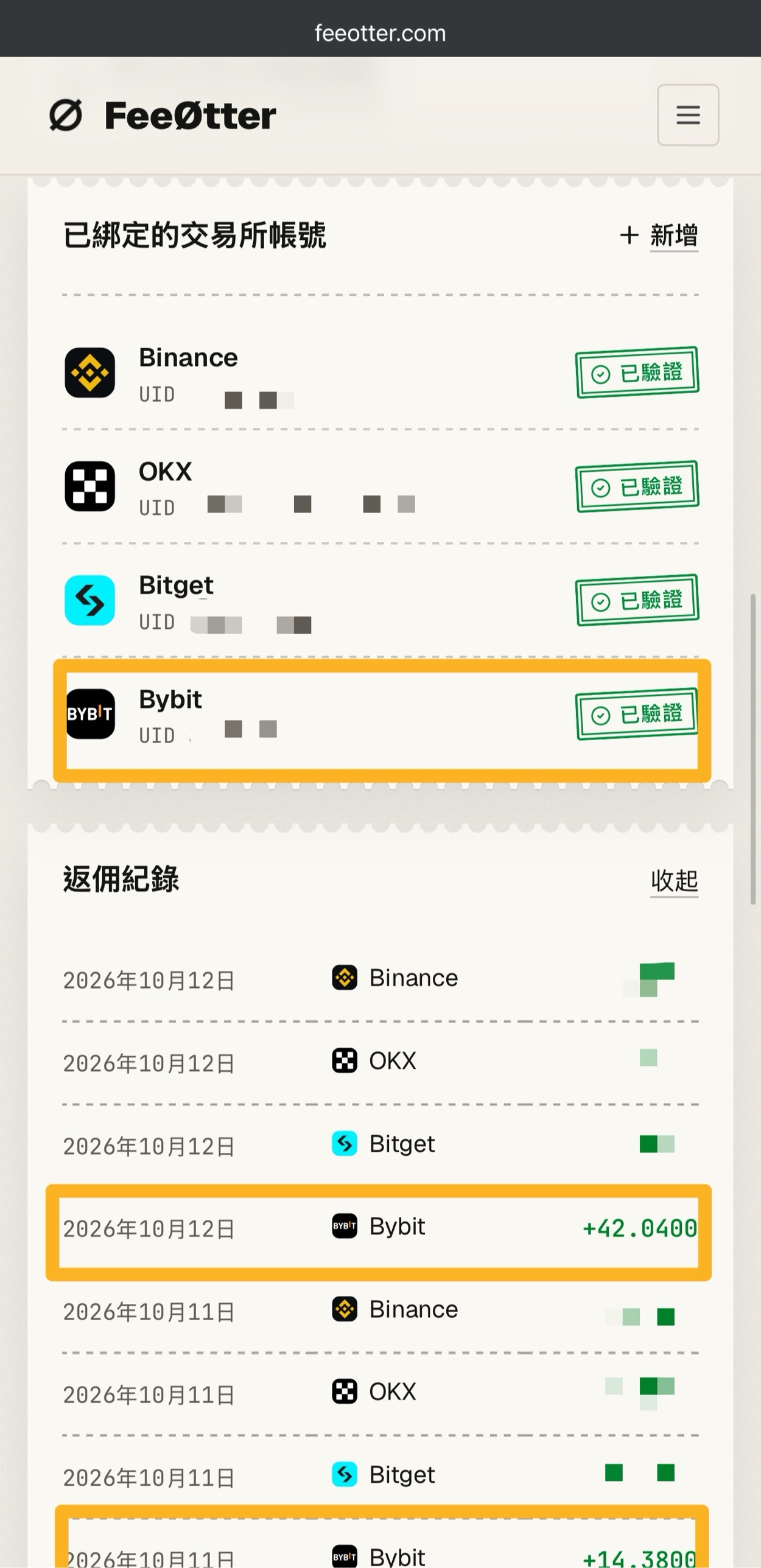
The first amount above, 20,000 USDT, is the trade volume from opening and closing the 10,000 USDT position in the example. The referral code has to be entered at sign-up, and adding it afterward has a deadline; see adding a Pionex referral code later. Bybit has no automatic fee rebate from the exchange on this site; its rebate channel is Fee Otter. The extra rebate is paid by Fee Otter, not by the exchange and not by Kevin Wu; the money goes to your Fee Otter account, and the rate is whatever Fee Otter’s page shows at the time. For the steps, see Bybit fee rebate.
How is the liquidation price calculated?
The rule in the Pionex liquidation guide is: margin ratio = maintenance margin ÷ (margin + unrealized PnL), and liquidation is triggered when the margin ratio reaches 100%. Unrealized PnL is calculated with the mark price, not the last traded price, so a brief wick will not necessarily liquidate you. When the margin ratio reaches 80%, Pionex sends alerts by app push notification, the message center, email and SMS, but Pionex also states that it cannot guarantee the alerts arrive in time.
Every position card shows an estimated liquidation price. To estimate it yourself for an isolated long: liquidation price ≈ (entry price − margin ÷ quantity) ÷ (1 − maintenance margin rate); for a short, change both minus signs to plus signs. The table below uses a BTC entry price of 60,000 USDT, 1,000 USDT of margin and the tier 1 maintenance margin rate of 0.50%. The price is just an assumption to keep the math simple, and fees and funding are not included:
| Leverage | Notional value | Estimated long liquidation price | Drop that triggers liquidation | Estimated short liquidation price | Rise that triggers liquidation |
|---|---|---|---|---|---|
| 2x | 2,000 | 30,150.75 | 49.75% | 89,552.24 | 49.25% |
| 5x | 5,000 | 48,241.21 | 19.60% | 71,641.79 | 19.40% |
| 10x | 10,000 | 54,271.36 | 9.55% | 65,671.64 | 9.45% |
| 20x | 20,000 | 57,286.43 | 4.52% | 62,686.57 | 4.48% |
| 50x | 50,000 | 59,095.48 | 1.51% | 60,895.52 | 1.49% |
| 100x | 100,000 | 59,698.49 | 0.50% | 60,298.51 | 0.50% |
For a quick mental check, use “1 ÷ leverage − maintenance margin rate”: at 10x that is 10% − 0.5% ≈ 9.5%, and at 100x a move of only about 0.5% against you liquidates a BTC position. Pionex’s own example: with a notional value of 1,000 USDT, the maintenance margin is 5 USDT either way, so opening 100x with 10 USDT can only absorb a loss of about 5 USDT, while opening 10x with 100 USDT can absorb about 95 USDT. Paying funding fees, transferring assets and adding or removing margin all move the estimated liquidation price. To plug in your own numbers, use the liquidation price calculator.
How much is the liquidation fee?
Liquidation fee = notional value of the liquidated portion × that pair’s liquidation fee rate. On 2026-10-17 I read the official Pionex contract info API and grouped the 544 USDT-denominated perpetual contracts by liquidation fee rate:
| Liquidation fee rate | Number of contracts | Examples | 10,000 USDT position fully liquidated |
|---|---|---|---|
| 1% | 20 | XRPUSDT, DOGEUSDT | 100 USDT |
| 1.15% | 2 | BTCUSDT, ETHUSDT | 115 USDT |
| 1.4%–1.65% | 143 | BNBUSDT 1.4%, SOLUSDT 1.5% | 140–165 USDT |
| 1.9%–2.2% | 119 | — | 190–220 USDT |
| 2.5% | 258 | — | 250 USDT |
| 6.25%–12.5% | 2 | OKBUSDT 6.25% | 625–1,250 USDT |
For the same 10,000 USDT position, closing it yourself at market costs only 5 USDT. If it is liquidated, BTC costs 115 USDT, and nearly half of all contracts cost 250 USDT, which is 25% of the 1,000 USDT margin. You can also look up each pair’s rate in the app under “Market” → “Futures” → pick the pair → “Contract info”. The same API also shows that the minimum order amount for all 544 USDT-M contracts is 1 USDT, and the minimum quantity for BTCUSDT is 0.0001 BTC.
After liquidation is triggered: in isolated margin, positions at tier 2 or above are partially liquidated first; if that does not bring the risk down, or the position was in tier 1 to begin with, the liquidation engine takes it over at the mark price and cancels all futures orders on that pair. In cross margin, Pionex first cancels the pair’s open orders and closes offsetting long and short positions on the same pair against each other; if that is still not enough, it partially liquidates or takes over the whole position. If the remaining funds are negative after the takeover, the risk protection fund covers the shortfall; the fund comes from Pionex’s initial capital and all liquidation fee income. The Pionex manual futures guide states that any margin left after liquidation goes back to your futures wallet, and that you can lose at most the margin you allocated and will not owe Pionex anything beyond it. If the insurance fund is not enough, auto-deleveraging (ADL) is the last resort.
How do you set take-profit and stop-loss?
You can tick take-profit/stop-loss on the order panel when placing an order, or add it after the position is open. According to the Pionex beginner’s guide to take-profit and stop-loss, in the app tap “Trade” → “USDT-M futures” → “TP/SL” in the position details; on the website, click “Futures” → “Futures trading” → “TP / SL” in the “Cross/Isolated” tab of the positions area. For split position orders, go to the “Split position orders” tab → “More” → “TP/SL settings”. The rules:
- Two modes: “Close all” closes the whole position at market when triggered; “Partial close” asks you to set a close quantity for each level, and you can set several take-profit and several stop-loss levels. In close-all mode, if you set both a take-profit and a stop-loss, triggering one automatically cancels the other.
- Trigger price: you can choose the last price or the mark price. Liquidation is triggered by the mark price, so if your stop-loss uses the last price, the mark price may hit the liquidation price before the stop-loss triggers. The Pionex trigger price guide recommends the last price for take-profit and the mark price for stop-loss, but after a mark-price trigger the order still fills at the last price, so there may be a price gap.
- The stop-loss must sit inside the liquidation price: this is a hard system check, and a stop-loss price set beyond the liquidation price is rejected.
- Reset the stop-loss after a partial take-profit: each level’s quantity is fixed when you set it. After part of the take-profit fills, any level whose quantity exceeds the remaining position becomes “Invalid” and is canceled. A common result is that the full-position stop-loss becomes invalid, leaving the rest of the position unprotected (Manual futures trading FAQ).
- Quantity limit: the futures account can have at most 200 take-profit/stop-loss orders waiting to trigger at the same time, across all pairs; split position futures have a separate allowance.
- Other tools: a conditional order with “Reduce only” ticked works as a stop-loss and will not open a position in the opposite direction (Pionex guide to stop-loss with conditional orders); ticking Post-Only on a limit order cancels it if it would fill immediately, which makes sure you pay Maker 0.02%.
Pionex also states that stop-loss orders may fail during violent market moves. Take the 10x long from the table above: the estimated liquidation price is 54,271.36, so the stop-loss has to be set above that price.
The most common beginner mistakes
- Thinking fees are charged on margin: open 20x with 1,000 USDT, and a Taker round trip costs 20,000 × 0.05% × 2 = 20 USDT, which is 2% of your margin gone before the price even moves. The PNL shown on the futures page also does not yet deduct the closing fee.
- Keeping money in the wrong account: after a deposit, your USDT sits in the main account, and isolated and cross margin need it transferred to the futures account first. Split position, on the other hand, uses money in the main account; that is why you can have funds in the futures account and still see no available funds when opening a split position. When a split position is closed, the funds go back to the main account automatically and can be withdrawn directly.
- Underestimating the liquidation fee: most altcoin contracts have a 2.5% liquidation fee rate, so being liquidated costs 50 times as much as closing the position yourself.
- Triggering the stop-loss on the last price: if the mark price hits the liquidation price first, the stop-loss never gets a chance to trigger.
- Not resetting the stop-loss after a partial take-profit: a stop-loss with a fixed quantity becomes invalid, and the rest of the position is left unprotected.
- Transferring money out while using a futures trading bonus: the Pionex futures trading bonus guide states that if you transfer your own funds out of the futures account before the bonus is used up, the remaining bonus is cleared immediately.
What are the risks of Pionex futures?
Futures are not a principal-protected product. Every risk below is stated on Pionex’s official pages:
- Losing all your margin: the official guide states that at 10x leverage, a 10% move against you means a 100% loss of margin. In cross margin, your entire futures account balance is at risk.
- Liquidation fee: when you are liquidated, a liquidation fee of 1%–12.5% of the notional value is charged, far higher than normal trading fees.
- Alerts are not guaranteed to arrive: the margin call alert at an 80% margin ratio may be delayed or never arrive, and Pionex has no obligation to send it.
- Take-profit and stop-loss are not guaranteed to fill: during violent moves a stop-loss may fail, and a market order that is triggered may fill at a price different from the trigger price.
- Funding fees keep coming out: funding is deducted from your margin, and when margin runs short this may trigger liquidation. In extreme markets, settlement may change to once every hour.
- Rules change: the official documents note that the figures listed may not be the latest version and may be adjusted without prior notice.
The risk of the exchange itself also matters. Pionex’s proof of reserves and security record are covered in the Pionex review, exchange proof of reserves comparison and exchange security record.
FAQ
Do Pionex futures require a quiz or a separate application?
No separate application is needed. Pionex’s official FAQ states that you can trade futures once KYC is approved; the official guide only mentions accepting a risk confirmation the first time and says nothing about a quiz. If the screen asks for an extra confirmation, follow what the screen asks.
Can I use Pionex futures in Taiwan?
Pionex’s restricted list, updated 2026-10-13, does not include Taiwan. Pionex futures have no separate list of regions: whether you can use them depends on the nationality on your KYC document, and once KYC is approved you can trade futures.
What is the minimum amount for Pionex futures?
Pionex has no fixed threshold. The official API on 2026-10-17 showed a minimum order amount of 1 USDT for USDT-M perpetual contracts and a minimum quantity of 0.0001 BTC for BTCUSDT, which comes to about 8.2 USDT at that day’s mark price of about 81,570 USDT. This is the floor for notional value, not for margin.
What are Pionex futures fees?
VIP 0 is Maker 0.02% and Taker 0.05%, charged on the notional value, once on opening and once on closing. VIP 1 requires any one of 3,000,000 USDT in 30-day futures volume, 20 BTC in spot volume or 50,000 USDT in assets, and even then the futures Taker fee only drops to 0.048%. For the full VIP table, see Pionex fees.
What is Pionex’s maximum leverage?
Pionex says major pairs go up to 100x, for small positions only. The illustrative BTCUSDT tiers in the official guide allow 100x up to a notional value of 2,000,000 USDT, dropping to 50x above that. Check each pair’s actual limit in the app under “Contract info” → “Leverage and margin”.
How often does Pionex charge funding fees?
Major coins settle every 8 hours, at 08:00, 16:00 and 00:00 Taiwan time; highly volatile coins every 4 hours, and in extreme markets settlement may change to every hour. Close before settlement and you don’t pay. You can check live rates on the Pionex funding rate page.
Will I owe Pionex money after a liquidation?
No. Pionex’s manual futures guide states that you can lose at most the margin you allocated and will not owe Pionex anything beyond it; losses beyond the margin are covered by the risk protection fund. Pionex does charge a liquidation fee when you are liquidated, though: 1.15% of the notional value for BTC.
Is there a fee reduction for Pionex futures trading?
Yes. For accounts registered with a referral code, futures fees are also reduced by the rate set on the code, for both Maker and Taker, paid out in USDT every hour. Funding fees and Futures Moon (which charges no trading fees while running) are not covered by the reduction. You can add a referral code within 14 days of signing up, but only within 3 days if you have already placed a trade since signing up. To check the binding status, see how to check whether your referral code is bound.
For the full math on fees and funding, see how futures fees are calculated, and run your own position through the perpetual futures cost calculator. Pionex’s fees, identity verification and review are in Pionex fees, the Pionex identity verification guide and the Pionex review, and the costs of futures grid bots are in Pionex grid bot fees. For the referral code and how to sign up, see Pionex referral code; codes for every exchange are collected in the crypto exchange referral codes hub.